Q2
Q2
 QIDI Box
 Plus 4
 Q1 Pro
 X-Max 3


Does a 3D Printer Bed Need to Stay Heated?


A heated print bed is required for ABS, ASA, polycarbonate, and nylon, strongly recommended for PETG, and optional for PLA and TPU. Its job is to hold the first layer above the polymer's stiffening point long enough for the part to anchor, which is what stops corners lifting. Every printer sold today includes one.
The more useful question is no longer "heated or not" but "what temperature, on what surface, for which material" — and that is what the tables below answer.

What Is a Heated Print Bed?
A heated print bed is a build platform with an electric heating element bonded underneath it and a temperature sensor that holds the surface at a commanded setpoint throughout the print. Most consumer beds use either an etched-foil resistive heater or a silicone heater pad laminated to an aluminium plate, with a removable spring-steel or PEI-coated sheet on top.
A non-heated bed is simply a rigid unheated platform — glass, acrylic, or aluminium — that relies entirely on surface texture, adhesives, or tape to hold the print. Non-heated beds still appear on the cheapest kit printers and on some machines built exclusively for PLA.
The difference is not about temperature for its own sake. It is about controlling how quickly the first layer loses its ability to deform.
Bed Temperature by Material: The Reference Table
Bed temperature should sit near, and usually just below, the polymer's glass transition temperature — the point at which an amorphous plastic changes from rigid to rubbery. Hold the first layer above that point and it stays compliant enough to relieve shrinkage stress instead of peeling.
| Material | Bed temperature | Heated bed needed? | Adhesion aid that works | Chamber |
|---|---|---|---|---|
| PLA | 50–60 °C | Optional — improves release and large-part flatness | Bare textured PEI; clean with IPA. Glue stick only on smooth PEI to prevent over-adhesion. | Not needed; keep it cool |
| PETG | 70–85 °C | Recommended | Textured PEI works; use a light glue-stick release layer on smooth PEI — PETG bonds to bare smooth PEI hard enough to chip it. | Not needed |
| ABS | 95–110 °C | Required | ABS slurry, glue stick, or textured PEI. Brim of 5 mm on anything with sharp corners. | Strongly beneficial, 50–65 °C |
| ASA | 95–110 °C | Required | Same as ABS. ASA is slightly more forgiving on first-layer grip and less forgiving on drafts. | Strongly beneficial, 50–65 °C |
| PC and PC blends | 100–120 °C | Required | Glue stick or a dedicated PC-compatible sheet; PC bonds aggressively to bare PEI. | Effectively required on large parts |
| Nylon (PA, PA-CF) | 70–100 °C | Required | Garolite (G10) or glue stick. Dry filament matters more than bed temperature. | Strongly beneficial |
| TPU (95A) | 30–50 °C | Optional | Textured PEI, no adhesive. Slow the first layer to 15–20 mm/s instead. | Not needed |
| PET-CF / PA-CF composites | 80–110 °C | Required | Follow the spool's data sheet; reinforced grades shrink differently from the base polymer. | Strongly beneficial |
Treat the spool label as authoritative over any table, including this one. Pigments, impact modifiers, and fibre loading all shift the usable window, which is why the same "ABS" from two suppliers can want a 10 °C different bed. Manufacturer references such as Prusa's material pages for PLA, PETG, and ABS are good cross-checks when a spool arrives unlabelled.
How a Heated Bed Actually Prevents Warping
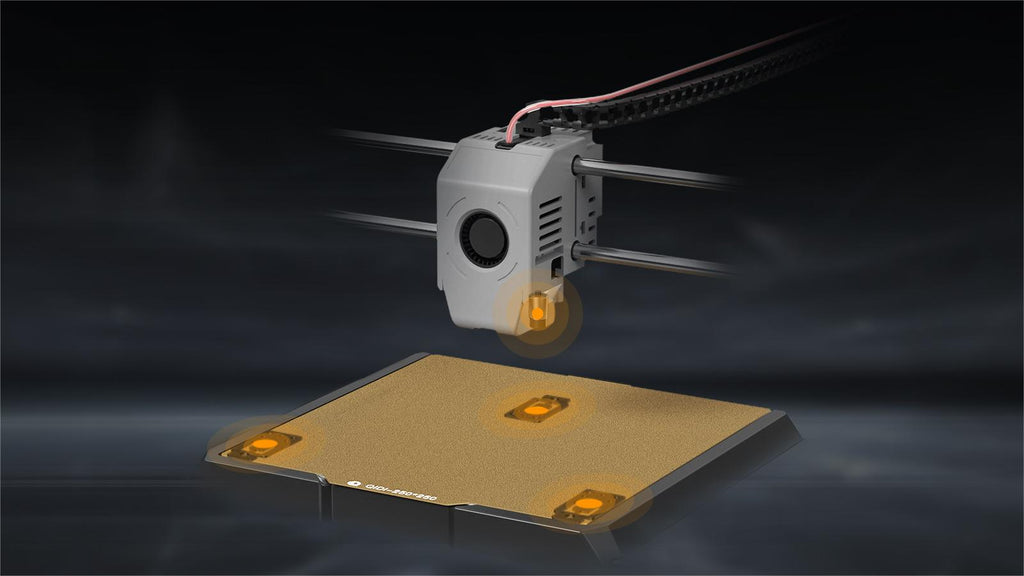
Warping is caused by differential shrinkage: the layers already printed have cooled and contracted while the layers above are still hot, and the resulting internal stress pulls the corners up off the plate. A heated bed does not eliminate shrinkage. It slows and evens out the cooling so the stress builds gradually instead of all at once at the base.
The governing property is the glass transition temperature, or Tg — the temperature range across which an amorphous polymer shifts between a hard, glassy state and a soft, rubbery one. Below Tg the material is rigid and any shrinkage stress goes straight into pulling on the bond with the plate. Above Tg it can creep slightly and relieve that stress internally.
This is why the practical bed temperatures line up with each polymer's Tg. PLA's Tg sits around 60 °C, and PLA beds run 50–60 °C. ABS's Tg is around 105 °C, and ABS beds run 95–110 °C. The pattern is not a coincidence; it is the whole mechanism.
It also explains the limit of what a heated bed can do. The bed only warms the bottom few millimetres of a print. A 150 mm-tall ABS part is entirely outside that influence above its first centimetre, and that is exactly where ABS parts crack. Solving that requires warm air around the whole part, which is the job of a chamber, not a bed — the difference is covered in our guide to the temperature-controlled chamber and in stopping warping in ABS and ASA prints.
What a Heated Bed Does Not Fix
A heated bed cannot compensate for a wrong nozzle height, a dirty surface, or an unlevel plate — and raising the temperature to mask those problems creates new ones. This is the most common mistake in first-layer troubleshooting: the temperature gets pushed up 10 °C at a time until the part sticks, and now the base is squashed and rounded.
| Symptom | Usual cause | Bed temperature is the fix? |
|---|---|---|
| First layer looks like round spaghetti, not flat ribbons | Nozzle too far from the plate | No — adjust Z offset |
| Part detaches in the first ten layers | Bed too cool, or plate contaminated with skin oil | Sometimes — clean with IPA first, then raise 5 °C |
| Corners lift after 20+ layers on ABS | Draft or cold ambient air, not bed temperature | No — enclose the printer |
| Base of the part bulges outward ("elephant's foot") | Bed too hot, or nozzle too close | Yes — lower 5 °C, or enable elephant's-foot compensation |
| Print welds itself to the plate and will not release | Smooth PEI with PETG or PC, no release agent | No — use a glue-stick release layer |
| Only one corner of the first layer fails | Bed not level or plate warped | No — re-run auto levelling and check the mesh |
| Layers split partway up a tall ABS part | Ambient cooling of the upper part | No — heated chamber |
Work symptoms in that order. Our first layer problems and fixes article covers the diagnostic sequence in detail, and bed levelling covers the mesh side of it.
Build Surfaces: What Goes on Top of the Heater
The heater sets the temperature; the build surface determines whether the print sticks and whether you can get it off afterwards. These are separate variables and they are often conflated.
| Surface | Best for | Release behaviour | Watch out for |
|---|---|---|---|
| Textured PEI (powder-coated spring steel) | PLA, PETG, ABS, ASA, TPU — the default all-rounder | Releases on its own once cooled below ~40 °C | Texture transfers to the part's underside |
| Smooth PEI | PLA, ABS; parts needing a glossy base | Good, but bonds hard to PETG and PC | Always use a release layer with PETG, PC, or nylon |
| Glass | PLA with glue or hairspray | Releases as the glass cools and contracts | Brittle; needs an adhesive for most materials |
| Garolite (G10) | Nylon and nylon composites | Excellent for PA specifically | Single-purpose; poor for most other materials |
| Adhesive sheets (PC/BuildTak style) | Mixed-material shops | Good grip, manual removal | Consumable; damaged by careless scraping |
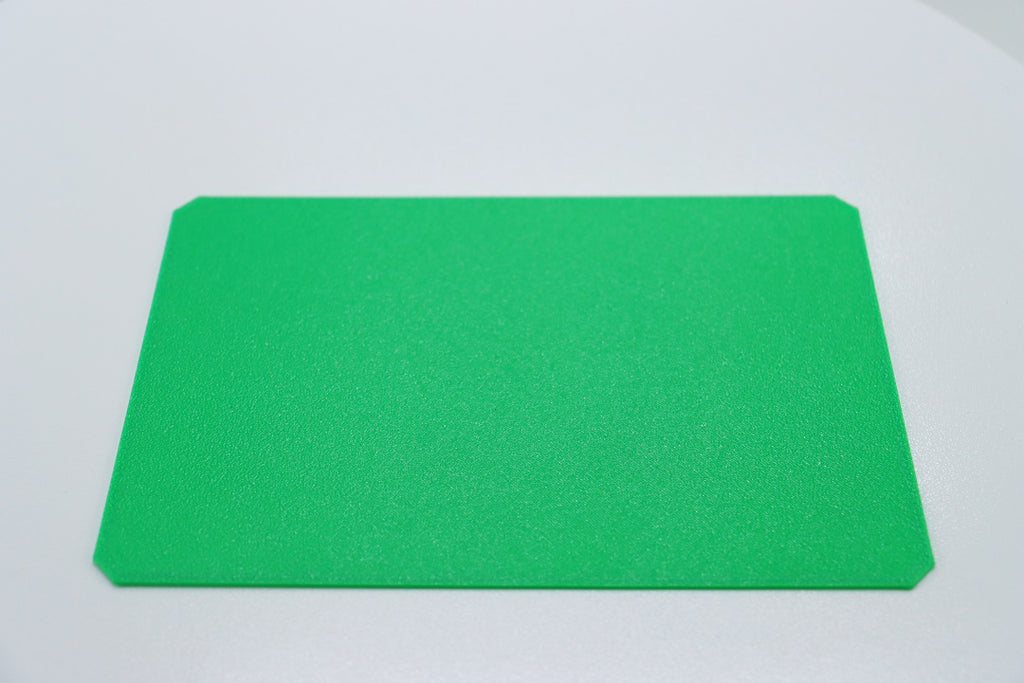
PEI itself is polyetherimide, a high-temperature engineering thermoplastic that happens to grip most other thermoplastics when warm and let go when cool. That temperature-dependent grip is why textured PEI spring steel became the industry default — you flex the sheet after it cools and the part pops off without tools. QIDI ships dual-sided textured PEI plates on its current printer lineup, with beds rated to 120 °C on the Q2, Q2C, and Max4.
Whatever the surface, cleanliness dominates. Fingerprints deposit oil that no bed temperature overcomes. Isopropyl alcohol on a lint-free cloth between prints solves more adhesion problems than any settings change — see our bed cleaning guide for the routine, including what to do about PLA residue that alcohol will not shift.
Tuning Bed Temperature in Practice
Tune bed temperature in 5 °C steps against a first-layer test print, not against a full model. A 20 mm single-layer square takes 90 seconds and tells you everything a six-hour part would.
The workflow that works:
- Start at the spool's stated bed temperature, mid-range.
- Clean the plate with isopropyl alcohol. Do this first, every time — it removes the most common variable.
- Run a first-layer test. Look at the top surface of the layer: adjacent lines should be merged with no gaps and no ridges.
- If the layer lifts at a corner, add 5 °C. If the edges bulge or the part fuses to the plate, drop 5 °C.
- Allow 5–10 minutes of soak after the bed reaches setpoint on large plates. Thermistors read the heater, not the far corners of the sheet, and a 300 mm-plus plate takes real time to equalise.
- Record the working value per brand and colour. Keep the log; you will need it again.
Two operational notes. First, leave the bed on for the whole print rather than dropping it after the first layer — for warp-prone materials the bed is a heat source for the lower part of the model, not just an adhesion aid. Second, let the plate cool below roughly 40 °C before removing a part. Prying a warm print off is how build surfaces get gouged, and it is also how prints get cracked. Our guide on removing stuck prints covers the stubborn cases.
Cost and Energy: What a Heated Bed Actually Adds
A heated bed is the largest single electrical load on a desktop FDM printer, typically drawing more power than the hotend and motors combined. Consumer beds commonly run in the 200–350 W range at full power, though the average draw over a print is far lower because the heater duty-cycles once it reaches setpoint.
The practical implications:
- Warm-up dominates energy use, not steady state. Bringing a large plate to 100 °C from cold is the expensive part; holding it there costs much less.
- Higher setpoints cost disproportionately more. Heat loss rises with the temperature difference to the room, so a 110 °C ABS bed loses heat to the room far faster than a 60 °C PLA bed.
- An enclosure reduces bed energy use by raising the surrounding air temperature and cutting convective loss. This is a side benefit of enclosures that rarely gets mentioned.
- Insulation under the plate helps measurably on machines that do not already have it, shortening warm-up and stabilising the setpoint.
If you want to put real numbers against your own machine and tariff, our breakdown of 3D printer electricity cost per hour walks through the calculation. The RepRap wiki heated bed page remains the best technical reference on heater construction and power requirements if you are building or repairing one.

Frequently Asked Questions
Does a 3D printer bed need to stay heated the whole print?
Yes for ABS, ASA, PC, and nylon — the bed is a heat source for the lower part of the model, not just a first-layer aid, and turning it off mid-print invites corner lift. For PLA and TPU you can drop the bed after the first few layers with no ill effect, and some slicers offer this as an option.
What bed temperature should I use for PLA?
50–60 °C. Below 50 °C large flat parts may lift at the corners; above 65 °C the base can soften and bulge, and PLA can bond to smooth PEI hard enough to be awkward to remove.
Can you 3D print without a heated bed?
Yes, for PLA and TPU on a suitably prepared surface — blue painter's tape, glue stick, or a textured sheet. ABS, ASA, PC, and nylon are not realistically printable without one; they will lift within the first few layers regardless of adhesive.
Why is my print warping even with a heated bed?
Because warping above the first centimetre is driven by the air around the part, not by the plate. A heated bed only influences the bottom few millimetres. If tall ABS parts are lifting or splitting, the fix is an enclosure or a heated chamber — see why enclosures matter.
What is the best bed temperature for PETG?
70–85 °C. Start at 80 °C. PETG's larger issue is usually the opposite of poor adhesion: on bare smooth PEI it can bond permanently and pull chips out of the sheet on removal. Use a glue-stick release layer or a textured surface.
Should I use glue stick on a PEI bed?
Use it as a release agent rather than an adhesive. On textured PEI, most materials need nothing. On smooth PEI, a thin glue-stick layer is what prevents PETG, PC, and nylon from welding themselves to the sheet. It also washes off with warm water.
How hot can a 3D printer bed get?
Consumer FDM beds typically top out between 100 °C and 120 °C. QIDI's current CoreXY machines are rated to 120 °C, which covers polycarbonate and reinforced composites. Industrial machines go higher, but above roughly 120 °C the constraint shifts to the build surface and the magnets holding a flexible sheet down.
Read More
- What Is a Heated Print Bed?
- Bed Temperature by Material: The Reference Table
- How a Heated Bed Actually Prevents Warping
- What a Heated Bed Does Not Fix
- Build Surfaces: What Goes on Top of the Heater
- Tuning Bed Temperature in Practice
- Cost and Energy: What a Heated Bed Actually Adds
- Frequently Asked Questions
- Does a 3D printer bed need to stay heated the whole print?
- What bed temperature should I use for PLA?
- Can you 3D print without a heated bed?
- Why is my print warping even with a heated bed?
- What is the best bed temperature for PETG?
- Should I use glue stick on a PEI bed?
- How hot can a 3D printer bed get?
- Read More
Recommended products