Q2
Q2
 QIDI Box
 Plus 4
 Q1 Pro
 X-Max 3


Is It Safe to Leave a 3D Printer Running Unattended?


Leaving a 3D printer unattended is a risk you manage rather than eliminate. Whether it is reasonable depends on four things you can check: whether the firmware has thermal runaway protection enabled, whether a smoke alarm covers the print area, what is stored within a metre of the machine, and whether the first layers went down cleanly.
What Counts as Unattended 3D Printing?
Unattended 3D printing means the machine is running while nobody is close enough to intervene within seconds. That definition matters more than the word "overnight," because the variable that determines outcome is your detection window — the gap between a fault starting and someone responding to it.
Three levels of absence carry different exposure, and they should not be governed by the same rule:
- Same building, awake. Detection window of a minute or two if a smoke alarm is within earshot. Lowest-risk category, and it covers most long daytime prints.
- Same building, asleep. Detection depends entirely on the smoke alarm, and response is delayed by waking. This is where alarm placement stops being optional.
- Building empty. Detection window is however long you are gone. Nothing on the printer shortens it.
One caveat belongs at the top of this article: no public dataset tracks fire incidence for desktop 3D printers specifically, so anyone quoting a percentage is estimating. What can be stated precisely is which faults are possible, which safeguard catches which fault, and what those safeguards are set to by default.
What Can Go Wrong During a Long Print?
Four fault classes account for essentially all serious unattended-printing incidents: thermal faults in the heater circuit, electrical faults in wiring and connectors, mechanical print failures that damage the machine, and cumulative air-quality exposure. They differ sharply in how fast they escalate and in which control addresses them.
| Risk | How it starts | Escalation speed | Worst realistic outcome | Control that addresses it |
|---|---|---|---|---|
| Heater thermal runaway | Thermistor detaches or fails, reporting room temperature while the heater stays on | Minutes | Ignition of the hotend assembly or nearby material | Firmware thermal protection; verify it is enabled before relying on it |
| Electrical fault | Loose screw terminal, undersized or damaged mains wiring, overloaded power strip | Minutes to hours of localised heating first | Connector melt, arcing, fire at the power inlet | Annual connector inspection; direct grounded outlet; no daisy-chained strips |
| Part detachment or layer shift | First-layer adhesion fails, or a belt slips mid-print | Hours of wasted print before damage | Nozzle dragging a loose part; extruder damage; wasted filament | Watch the first layers; camera monitoring; runout and tangle sensors |
| Filament jam or hotend blob | Under-extrusion, heat creep, or a clog builds molten plastic around the heater block | Hours | Encased heater block, damaged wiring, thermistor pulled out of position | Dry filament, correct temperature, thermal protection as the backstop |
| Air-quality exposure | Hours of emissions accumulating in a closed room | Cumulative over weeks | Airway irritation; symptom aggravation in asthma and COPD | Ventilation, enclosure with extraction or filtration, printer placement |
Notice that the first two rows escalate on a timescale shorter than any realistic human response when nobody is home, which is exactly why they get engineered controls rather than habits. The last three are caught by monitoring and setup, not by reflexes.
Does Your Printer Have Thermal Runaway Protection?
Thermal runaway protection is firmware logic that shuts down the heaters when measured temperature stops tracking commanded temperature, and it is the single most important safeguard on the machine. Marlin's own configuration file states the problem plainly: "If a thermistor falls out, it will report the much lower temperature of the air in the room, and the firmware will keep the heater on."
Both mainstream firmwares enable this by default, with published thresholds you can read and adjust.
| Firmware | Safeguard | Default value | What it catches |
|---|---|---|---|
| Marlin 2.1 | THERMAL_PROTECTION_PERIOD | 40 seconds | Temperature drifting below target during a steady-state print |
| Marlin 2.1 | THERMAL_PROTECTION_HYSTERESIS | 4°C | How far below target counts as a fault |
| Marlin 2.1 | WATCH_TEMP_PERIOD / WATCH_TEMP_INCREASE | 40 seconds / 2°C | A heater that fails to heat at all after a temperature command |
| Klipper | verify_heater max_error | 120 (cumulative °C of error) | Sustained deviation from the target range during a print |
| Klipper | verify_heater check_gain_time | 20 s for extruders, 60 s for the bed | A heater not gaining temperature during initial heat-up |
| Klipper | verify_heater heating_gain | 2°C | The minimum rise required within the check window |
Values are from the Marlin configuration documentation and the Klipper config reference, where verification is enabled automatically for every configured heater.
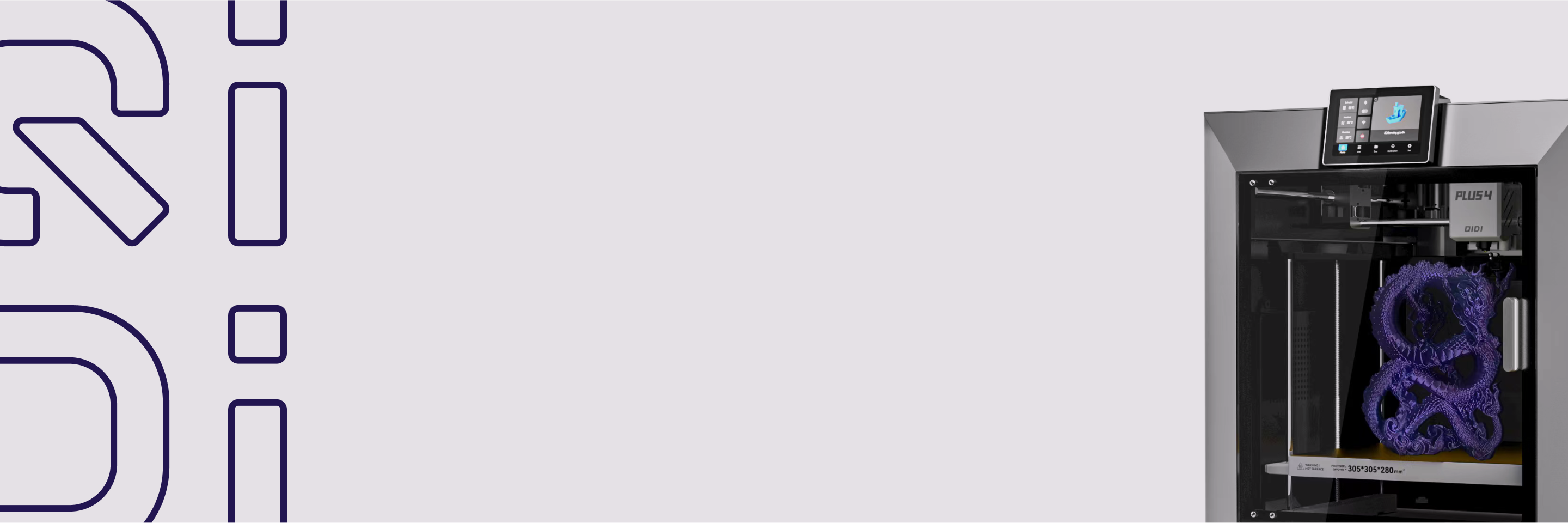
Two things follow. If you have flashed custom firmware or bought a machine of uncertain provenance, confirm these protections are compiled in before running anything unattended — they can be disabled, and a disabled safeguard gives no warning that it is missing. And firmware protection covers the heater control loop only. It does not detect a melting mains connector or a smouldering pile of paper beside the printer. Some hardware adds an independent layer: the Plus 4 uses a smart PTC fuse with dual temperature sensors that cuts power on abnormal temperature, outside the firmware's control loop, and the Max4 adds a flame-retardant chamber and multi-sensor closed-loop temperature control.
What Smoke Detection Does the Print Area Need?
Put a smoke alarm in the room with the printer, and make sure alarms are also inside and outside every sleeping area. The US Fire Administration recommends alarms on every level of the home, inside and outside each bedroom and sleeping area, tested monthly, and replaced entirely every 10 years from the manufacture date.
The type matters too. USFA notes that ionization and photoelectric alarms detect different types of fires, and recommends installing both types or a dual-sensor unit. For a printer running while the household sleeps, the alarm is the control that actually shortens the detection window, so it is worth checking the date stamp on the back of yours today rather than assuming.
How Much Power Does a 3D Printer Draw?
A large enclosed printer can draw well over a kilowatt during heat-up, and it is the heaters rather than the motors that dominate. The Max4 lists its power split as 150 W for the machine, 500 W for chamber heating, and 700 W for the heated bed — roughly 1,350 W at peak, comparable to a small space heater.
Three consequences. Peak draw occurs during warm-up, after which the heaters cycle and average consumption drops well below peak. A machine in that class belongs on its own grounded outlet, not sharing a strip with other high-draw devices. And the heated bed, not the hotend, is usually the largest single load, so bed wiring deserves the same inspection attention as the hotend harness.
Which Materials and Setups Need Stricter Rules?
Higher-temperature and higher-emission materials raise both the thermal and the air-quality side of the equation, and the emission gap between materials is large. Chamber testing found ABS printing emitting on the order of 2 × 10¹⁰ to 9 × 10¹⁰ ultrafine particles per minute against roughly 1 × 10⁸ for PLA. The American Lung Association links 3D printer emissions to airway irritation, headaches, and aggravation of asthma and COPD, and advises against operating printers in occupied spaces.
- ABS, ASA and other high-emission filaments. Run these in an enclosed, extracted or filtered setup. UL Chemical Insights reports that a ventilated enclosure reduces particle concentration by 99.7% and TVOC by 69.5%, while filtration systems cut peak particle concentration by 95% or more.
- Resin printers. Uncured resin adds liquid chemical handling, washing and curing steps, so the exposure question extends well past the print itself.
- Modified machines. Aftermarket heaters, rewired mains sections and improvised upgrades introduce failure points that no firmware safeguard was validated against.
- New or untested machines. A printer with no track record should not be the one you leave running on day one. Build a history of clean completed prints while you are present first.
- Cluttered locations. Paper, cardboard, textiles, solvents and aerosols within reach of the machine convert a contained fault into a spreading one.
PLA and PETG are easier materials on both axes, and that is a genuine advantage rather than a permission slip. The emission and thermal comparison between materials is covered in more depth in the article on whether PLA is toxic, and the filtration side in the guide to home air filtration.
How Much Does Remote Monitoring Actually Help?
Remote monitoring shortens your detection window; it does not reduce fault probability. That distinction determines how much credit to give it. A camera lets you confirm the print is still attached to the bed and stop a job that has failed, which addresses the mechanical failure rows in the risk table well. It does nothing about a heater fault that escalates in the two minutes before you next check the app.
Most current machines include it: the Q2 and Plus 4 carry 1080p cameras with timelapse, and the Max4 adds AI camera detection for automated problem identification alongside power-loss recovery. Filament runout and tangle sensors work the same way, stopping the print on one specific detectable condition rather than supervising the machine generally. The printer range lists which monitoring features each model carries. What none of it substitutes for is the physical setup: a camera in a cluttered room with no smoke alarm is a way of watching a problem develop, not of stopping it.
Pre-Print Checklist for Long Jobs
- Confirm thermal runaway protection is enabled in your firmware, not assumed.
- Check that a working smoke alarm covers the print room, tested this month.
- Clear combustibles from the surrounding area and the surface underneath.
- Inspect the mains inlet, bed harness and hotend wiring for discolouration, stiffness or loose terminals.
- Plug into a grounded wall outlet rather than a shared or daisy-chained power strip.
- Stay present through the first layers and confirm bed adhesion before walking away.
- Dry the filament if it has been open for weeks, since moisture drives the jams described in the nozzle jam guide.
- Improve ventilation before starting, not after you notice the smell.
- Treat an empty house as a stricter case than an occupied one, and overnight as stricter than daytime.
FAQs About Unattended 3D Printing
Can you leave a 3D printer running overnight?
It is defensible on a machine with verified thermal runaway protection, in a clear room with a working smoke alarm, on filament and a profile that have completed prints before. It is not defensible on a new, modified or previously faulty machine, or in a cluttered room without smoke detection. The decision is about the setup, not about the number of hours.
Can you leave a 3D printer running when nobody is home?
This is the highest-exposure category, because the detection window becomes however long you are away and no on-printer feature shortens it. If the job must run, put the machine in a room with a hard non-combustible surface, nothing flammable nearby, a smoke alarm, and a camera you will actually check. Accept that remote alerts help you respond, not prevent.
Does an enclosure make unattended printing safe?
An enclosure improves temperature stability and contains emissions, and it does not remove electrical or thermal fault risk. It is one layer among several. Its clearest measured benefit is on air quality when paired with extraction or filtration, where ventilated enclosures have been measured at 99.7% particle reduction. Treat it as containment, and see the article on chamber temperature control for the print-quality side.
Is it safe to use an extension cord with a 3D printer?
Avoid it where you can. A large enclosed printer can peak above 1,300 W, and sustained draw through an undersized cord or a shared power strip is a known heating path. A direct connection to a grounded wall outlet rated for the load is the safer arrangement, and nothing else high-draw should share that circuit.
Can a smart plug shut a printer down safely?
A smart plug can cut power remotely, but it is not a fire-safety device and it introduces its own considerations. Cutting mains power mid-print stops active cooling as well as heating, and the plug itself must be rated for the printer's sustained load. Use it as a convenience within a setup that already has firmware protection and smoke detection, never as a replacement for either.
How often should I inspect a printer used for long prints?
Visually before every long job, thoroughly on a schedule. The failures that matter announce themselves early as discoloured terminals, stiffened cable insulation, bearing noise or unstable temperature readings. A machine that has shown thermal warnings, unexplained shutdowns or fan failures is not a candidate for unattended running until the cause is found. The general printer safety guide covers the routine, and layer shift troubleshooting the mechanical side.
- What Counts as Unattended 3D Printing?
- What Can Go Wrong During a Long Print?
- Does Your Printer Have Thermal Runaway Protection?
- What Smoke Detection Does the Print Area Need?
- How Much Power Does a 3D Printer Draw?
- Which Materials and Setups Need Stricter Rules?
- How Much Does Remote Monitoring Actually Help?
- Pre-Print Checklist for Long Jobs
- FAQs About Unattended 3D Printing
- Can you leave a 3D printer running overnight?
- Can you leave a 3D printer running when nobody is home?
- Does an enclosure make unattended printing safe?
- Is it safe to use an extension cord with a 3D printer?
- Can a smart plug shut a printer down safely?
- How often should I inspect a printer used for long prints?
Recommended products