Q2
Q2
 QIDI Box
 Plus 4
 Q1 Pro
 X-Max 3


Best Budget 3D Printers 2026: Is a Cheap 3D Printer Worth It?


The best budget 3D printer in 2026 is the QIDI Q2C at $349. For that price you get a 270×270×256 mm CoreXY build area, a 600 mm/s toolhead, a 370°C bimetal nozzle, a 120°C bed and hands-free loadcell leveling. Pay $150 more for the $499 QIDI Q2 only if ABS, ASA or nylon is on your list — that money buys a 65°C heated chamber.
Is a cheap 3D printer worth it at all? Yes, when the money you save comes from hardware you will never use — a heated chamber for materials you never print, for example. It is a false economy when the savings come from the parts that decide whether a print succeeds: bed leveling, first-layer control, nozzle durability and extrusion consistency. This guide gives the picks first, then the cost math behind them.
Best Budget 3D Printers in 2026: Picks by Price Tier
The picks below use QIDI main-store prices checked on 18 September 2026 and the specification sheet on each product page. Each row names the one thing you give up at that price, because that is the decision you are actually making.
| Budget | Pick | Price (Combo) | Build volume | Chamber | Nozzle / bed max | What you give up |
|---|---|---|---|---|---|---|
| Under $350 | QIDI Q2C | $349 ($529) | 270×270×256 mm | Flame-retardant enclosure, no heater | 370°C / 120°C | Chamber heating, AI camera, air filter (optional) |
| Under $500 | QIDI Q2 | $499 ($649) | 270×270×256 mm | 65°C active heating (2nd gen) | 370°C / 120°C | Plate size above 270 mm |
| Stretch: under $750 | QIDI Plus 5 | $749 ($899) | 320×320×300 mm | 65°C active heating (3rd gen, independent) | 370°C / 120°C | The 390 mm plate and 800 mm/s of the Max4 |
| Over budget: $1,049 | QIDI Max4 | $1,049 ($1,199) | 390×390×340 mm | 65°C active heating (3rd gen, independent) | 370°C / 120°C | Nothing on this list — but it is no longer a budget machine |
All four share a CoreXY motion system, direct-drive hardened steel dual gears, a bimetal nozzle, Klipper-based firmware and loadcell leveling built into the hotend. The price steps buy chamber heating and plate size, not print quality on PLA.
Best budget 3D printer overall: QIDI Q2C — $349
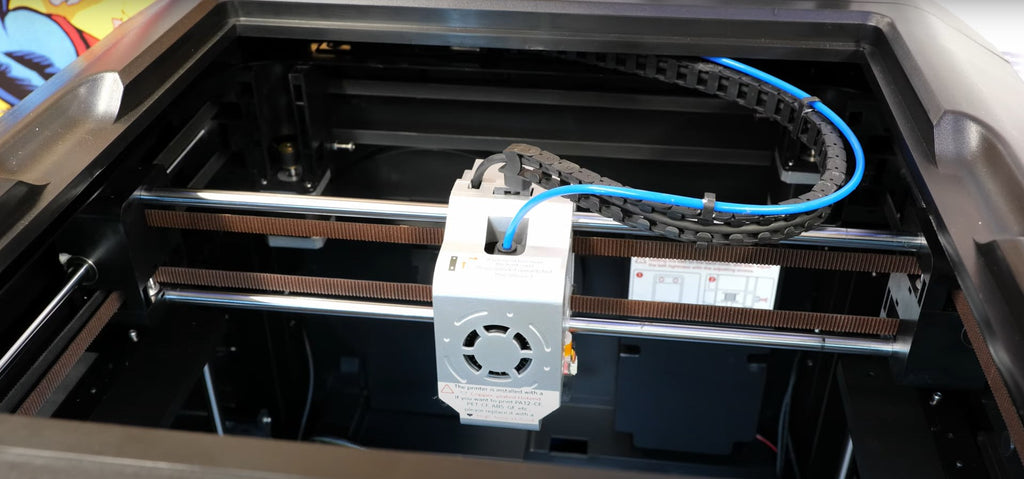
The QIDI Q2C runs 600 mm/s at up to 20,000 mm/s² acceleration across a 270×270×256 mm plate, with a 370°C bimetal nozzle, a 120°C bed and a double-sided PEI magnetic build plate. Its spec sheet lists PLA, ABS, ASA, PETG, TPU, PA, PC and carbon- or glass-fibre-reinforced filaments as supported, and it takes the QIDI Box for multi-colour printing — the $529 Combo bundles one.
What QIDI left out is the point. The Q2C has a flame-retardant chamber but its spec sheet reads "Chamber Temperature: No", there is no AI camera, and the air filter is optional. The money went into the motion system, the hotend and the bed. For a buyer who prints PLA, PETG and TPU, that is the correct set of things to leave out. It dropped from $379 to $349 in 2026 as a standing price, not a sale, which makes it the lowest entry point into QIDI's current lineup.
Cheapest heated chamber: QIDI Q2 — $499
The QIDI Q2 keeps the Q2C's 270×270×256 mm volume, 600 mm/s and 370°C nozzle, and adds second-generation independent chamber heating to 65°C, a 3-in-1 air filter (G3 pre-filter, H12 HEPA and activated carbon) and an AI camera. If there is any realistic chance you will want functional parts in ABS, ASA or nylon, this is the budget printer to buy.
Best budget large-format printer: QIDI Plus 5 — $749
The QIDI Plus 5 is a stretch for a budget list, but it is the cheapest way into a 320×320×300 mm heated-chamber plate. It adds third-generation independent 65°C chamber heating, 9 mm-wide 1.5GT CoreXY belts and dual independent Z lead screws, and its spec sheet quotes a measured steady-state draw of 190 W on PLA and 500 W on ABS at 25°C ambient. Buy it when your parts do not fit inside 270 mm; otherwise the Q2 prints the same materials for $250 less.
What Counts as a Budget 3D Printer in 2026
A budget 3D printer is a fused filament fabrication (FFF) machine priced under roughly $500 that still includes automatic bed leveling and a direct-drive extruder. That definition has moved. Automatic leveling, direct-drive extrusion and CoreXY motion have all moved down into this bracket, so "cheap" no longer implies "stripped". What still varies enormously is which capabilities were removed to hit the price, and each price band corresponds to a specific piece of hardware being added.
| Price band | Usually included | Usually missing | Sensible buyer |
|---|---|---|---|
| Under $250 | Open frame, sensor-assisted leveling, direct drive or Bowden, roughly 220×220×250 mm | Enclosure, hardened nozzle, hotend above 300°C, tuned profiles | Students, second machines, PLA-only printing with tolerance for tuning |
| $250–$450 | CoreXY motion, 500–600 mm/s class speeds, loadcell or strain-gauge leveling, high-temperature nozzle, hardened gears | Heated chamber, camera, filtration | Most first-time buyers |
| $450–$750 | Enclosure with active chamber heating, air filtration, failure-detection camera | Very large plates, multi-nozzle systems | Anyone printing ABS, ASA, PC or nylon |
| $750–$1,200 | Plates of 300 mm and up, higher acceleration, multi-material add-ons | Industrial certification, service contracts | Small workshops, functional-part production |
The jump that matters most is from the first band to the second: that is where failure-prevention hardware arrives. Above roughly $450 you are mostly buying materials capability — chamber heating, filtration, plate size — rather than basic reliability.
The $150 That Changes What You Can Print
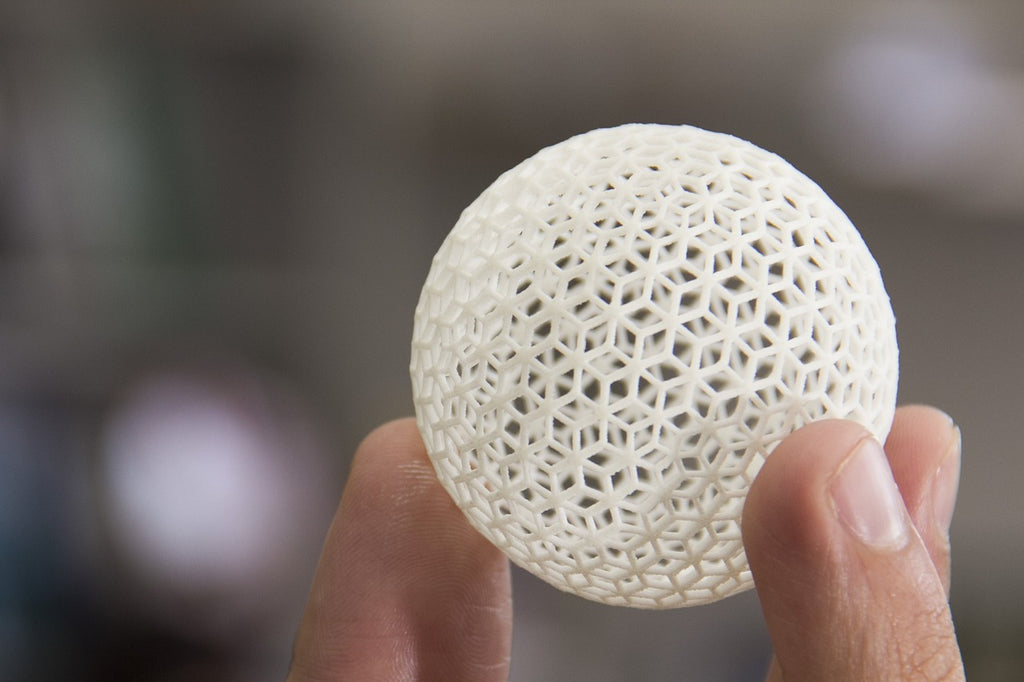
The gap between the Q2C at $349 and the Q2 at $499 is the most consequential $150 in budget 3D printing. An actively heated chamber is an enclosure with its own heater that holds the air around the part at a set temperature — 65°C on the Q2. A passive enclosure, including the Q2C's flame-retardant chamber, only traps waste heat from the bed and hotend.
The difference shows up with materials that shrink as they cool. ABS, ASA and polycarbonate warp or split along layer lines when the top of a part cools faster than the bottom; a stable ambient temperature makes the shrinkage uniform. We explain the physics in the temperature-controlled chamber guide. The practical rule: read the spec sheet for a chamber temperature figure. If the sheet only says "enclosed", there is no heater.
Which Savings Are Real and Which Are False Economies
Cutting a feature you would never use is a real saving; cutting a feature that prevents failures is not. The table below sorts the most common budget-printer omissions into those two categories.
| What was left out | Verdict | Why |
|---|---|---|
| Actively heated chamber | Real saving — if you print PLA, PETG or TPU | These materials do not need elevated ambient temperature; PLA actively prefers strong part cooling. A chamber heater only earns its cost with ABS, ASA, PC, nylon and fiber-filled composites. |
| Built-in camera | Real for short prints, false for overnight jobs | A camera does not improve print quality. It shortens the time between a failure starting and you noticing it, which matters only on jobs you are not watching. |
| Air filtration | Real if the printer lives in a garage or workshop | Filtration addresses room air quality, not print quality. It becomes important when the printer shares a room people occupy and you print styrene-based materials. |
| Automatic bed leveling | False economy | First-layer failure is the most common cause of wasted filament and wasted time. Removing the sensor moves that cost from the purchase price to every single print. |
| Hardened or bimetal nozzle | Real for PLA and PETG, false for any filled filament | Brass wears quickly against carbon and glass fiber. If abrasive filament is on your list, a brass nozzle is a consumable you will replace repeatedly. |
| Filament run-out sensor | False economy on prints over about six hours | Without it, a spool ending at hour nine costs you the whole job, not just the remaining filament. |
| Hotend above 300°C | False economy if nylon or PC is ever likely | A 260–300°C ceiling locks out nylon, polycarbonate and most high-temperature composites permanently. There is rarely an upgrade path that costs less than the price difference would have. |
| Multi-colour unit on day one | Real saving | A QIDI Box is $228 on its own and every colour change purges filament. Buy it when a project needs it; our QIDI Box guide explains the purge math. |
| Tuned stock slicer profiles | Always a false economy | Profile quality costs the manufacturer engineering time and costs you nothing. A machine with poor defaults transfers that work to you, print after print. |
Read down that list and a pattern appears: the savings that hold up are tied to materials you will not print. The savings that do not hold up are tied to failure prevention, because a failure costs the same on a $150 printer as on a $1,000 one — and the cheap machine fails more often.
Speed Has Stopped Being Something You Pay For
In 2022 a 600 mm/s toolhead was a flagship specification. In 2026 it is standard from $349 upward: the Q2C, Q2 and Plus 5 all list 600 mm/s and 20,000 mm/s², and only the Max4 goes further, to 800 mm/s and 30,000 mm/s². Input shaping is the firmware technique behind this — it models the printer's resonant frequencies and shapes motion commands to cancel the ringing they would otherwise leave on walls. Almost every fast machine now runs Klipper or a fork of it. Real print times are governed by flow rate and cooling more than by peak toolhead speed, which we tested in FDM printing at 600 mm/s. Do not pay a premium for a speed number.
The Hidden Cost Ledger: What Budget Printing Actually Bills You For
The purchase price is typically 60–70% of what a first-year 3D printing setup costs, with filament, wear parts and accessories making up the rest. The figures below use QIDI's own main-store prices so you can substitute your supplier's numbers and keep the arithmetic honest.
| Line item | Reference cost | Replacement interval | Notes |
|---|---|---|---|
| Filament, 1 kg spool | $16.99 (QIDI PLA Basic or PETG Basic) | Ongoing | Works out to roughly $0.017 per gram of printed part |
| Bimetal nozzles, 2-pack | $29.99 (fits Q2C, Q2 and Plus 5) | Every few hundred hours with abrasive filament | Brass nozzles cost less but wear far faster on filled materials |
| Dual-sided PEI build plate | $32.99 (Q2 / Q2C), $39.99 (Plus 5) | 1–2 years of regular use | Scratches and adhesive residue eventually cost you first layers |
| Filament dryer box | $39.00 | One-off | Effectively mandatory for nylon and PC, useful for PETG in humid climates |
| Hand tools and spares | $25–$50 | One-off | Flush cutters, tweezers, scraper, brass brush, calipers |
| Electricity | 18.34¢ per kWh | Ongoing | US residential average, June 2026, per the EIA |
Electricity is the line item people most consistently overestimate. The US average residential retail electricity price was 18.34 cents per kilowatt-hour in June 2026 according to the US Energy Information Administration. The Q2C is rated at 350 W; drawing that continuously — which no printer does, since heaters cycle — would cost 6.4 cents per hour. QIDI publishes measured steady-state figures for the Plus 5 at 25°C ambient: 190 W on PLA (3.5 cents per hour) and 500 W on ABS (9.2 cents per hour). A ten-hour ABS print costs under a dollar. Our 3D printer electricity cost guide works through more measured figures.
What Failed Prints Really Cost on a Budget Machine
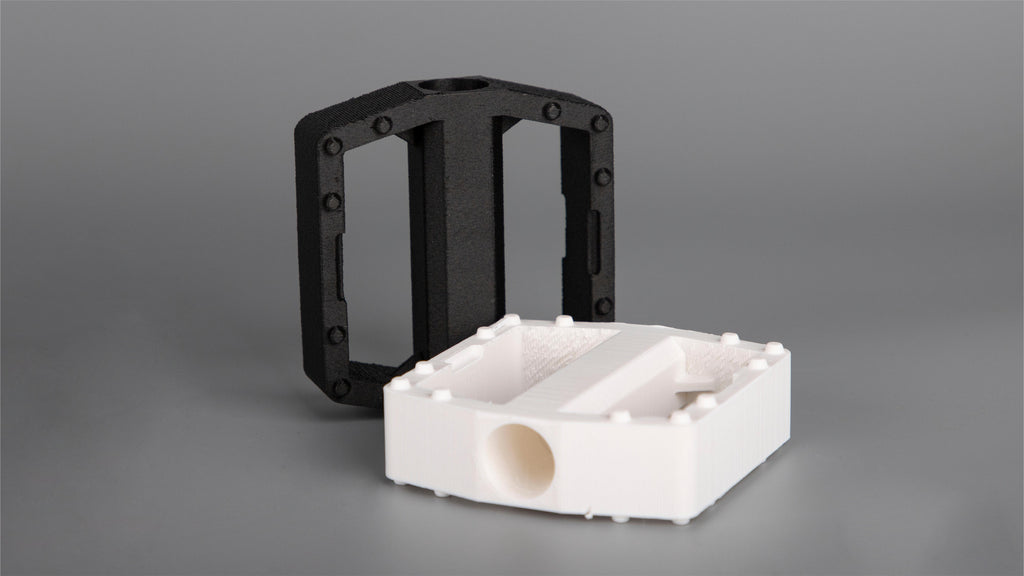
The dominant cost of an unreliable printer is your time, not the wasted plastic. At $16.99 per kilogram, even a 20% failure rate wastes only about $3.40 of filament per kilogram printed — but a typical FDM job consumes filament at roughly 20 grams per hour, so that same failure rate costs about 10 hours of print time per kilogram, plus the setup and restart labor around each failure.
| Failure rate | Wasted filament per 1 kg printed | Wasted print time per 1 kg | Restarts per 1 kg |
|---|---|---|---|
| 2% (well-tuned machine) | $0.34 | ~1 hour | 1–2 |
| 5% | $0.85 | ~2.5 hours | 3–4 |
| 10% | $1.70 | ~5 hours | 6–8 |
| 20% (poorly tuned or unstable) | $3.40 | ~10 hours | 12–16 |
Assumptions: $16.99 per kilogram, an average deposition rate near 20 grams per hour, and an average failure occurring partway through a job. Roughly $100 saved at purchase is repaid in filament only after you have wasted about 60 kilograms of it, which almost nobody does. It is repaid in time far sooner, and that is the calculation worth making. Reducing the failure rate is mostly about the first layer — start with first-layer problems and fixes and inconsistent extrusion.
Match the Printer to Your Materials Before Anything Else
Material choice determines the minimum hardware you need, and it is the most reliable way to avoid overbuying or underbuying. PLA, PETG and TPU run acceptably on almost any competent budget machine; ABS, ASA, polycarbonate, nylon and fiber-filled composites impose hard requirements that no amount of tuning substitutes for.
| Material | Hard requirements | Cheapest QIDI machine that meets them |
|---|---|---|
| PLA | Good part cooling; heated bed helpful | Q2C ($349) |
| PETG | Clean bed surface, careful first layer, dry filament | Q2C ($349) |
| TPU | Direct-drive extruder with a short, constrained filament path | Q2C ($349) |
| ABS / ASA | Enclosure and stable ambient temperature; ventilation planning | Small parts on the Q2C; large parts need the Q2 ($499) |
| PC and PC blends | Hotend above 260°C, heated chamber, thoroughly dried filament | Q2 ($499) |
| Nylon (PA, PA-CF) | High-temp hotend, heated chamber, active drying | Q2 ($499) plus a dryer |
| Carbon or glass filled | Hardened or bimetal nozzle and hardened gears regardless of base material | Q2C ($349) for PETG-CF or PLA-CF; Q2 for PA-CF |
Notice the last row: abrasive filaments are the one case where a single wear part decides whether a cheap printer is viable at all. A brass nozzle will print carbon-filled filament, but it wears open and starts under-extruding, and the symptoms look like a dozen other problems. Every current QIDI machine ships with a bimetal nozzle and hardened steel dual gears, which is why PETG-CF at $28.99 is a realistic first composite on the Q2C. The full range is in the QIDI filament collection, and the beginner filament guide covers the choices in more depth.

Three Fixed Budgets, Spent Properly
Abstract tiers are easier to judge as concrete allocations. Each assumes you want to be printing on day one rather than ordering accessories for a month.
A $450 budget
Buy the Q2C at $349 and spend the remaining $100 on four 1 kg spools of PLA Basic and PETG Basic at $16.99 each ($67.96) plus a basic tool kit. This is the highest-capability configuration at this total, and its only real limitation is the unheated chamber. If you later need one, the Q2C keeps its value as a dedicated PLA machine.
A $700 budget
Buy the Q2 at $499 and spend about $200 on materials, including a spool of ABS or ASA, a spool of PETG-CF and the $39 dryer box. You now have an actively heated chamber at the entry price of that class. If you would rather have colour than chamber heat, the Q2C Combo at $529 bundles a QIDI Box instead — choose by material, not by feature count.
An $1,100 budget
Two defensible answers. Either the Plus 5 Combo at $899 plus about $200 of filament, which gives you a 320×320×300 mm heated-chamber machine with multi-material capability; or the Max4 at $1,049 on its own, which gives you 390×390×340 mm, 800 mm/s and 30,000 mm/s² but no multi-material unit yet. Choose the first for colour and the second for size and speed.
When Spending More Is Genuinely the Cheaper Decision
Spending more is the cheaper decision in exactly three situations: when you print weekly or more, when parts must fit other parts dimensionally, and when your material list includes anything above PETG. In all three, the cost that dominates is intervention time, and intervention time scales with how often the machine surprises you.
Frequency is the clearest signal. Someone printing a few models a month can absorb a failure — the printer is a hobby, and troubleshooting is part of it. Someone printing weekly for work is buying a tool, and a tool that needs re-tuning every session has a real hourly cost. Material is the second signal: moving to ABS, ASA, nylon or fiber-filled composites is a hardware requirement, not a settings change. Our guide to printing ABS and ASA reliably explains what changes when you cross that line, and open versus enclosed printers covers the enclosure decision.
Dimensional accuracy is the third. If you print parts that bolt to other parts, run-to-run consistency is the specification that matters. A printer that produces a good part on Tuesday and a 0.4 mm-off part on Thursday is not usable for assemblies, however good the Tuesday part looked.
How Other Brands Price at the Same Level
The same tier logic applies across brands. Bambu Lab's A1 mini is an open-frame 180×180×180 mm machine with a 300°C hotend, and its P1S is enclosed at 256×256×256 mm with a 300°C hotend and a chamber regulated by fan rather than heated to a setpoint. Creality's Ender-3 V3 SE is one of the lowest-priced machines that still levels itself, at 220×220×250 mm with a 260°C nozzle. None of these is a bad printer; compare the hotend ceiling and chamber figure against the materials table above and the right tier follows.
A Practical Buying Sequence That Avoids Regret
Decide in this order: materials first, then build volume, then reliability features, then price — reversing that order is how people end up with printers that cannot do the thing they bought them for. Write down the three parts you most want to make, look up what those parts should be printed in, and let that determine your minimum hardware.
Build volume comes second because it is the one specification you cannot work around. A 270 mm plate covers the vast majority of hobby and prototype work; larger beds are useful but also enlarge the area over which leveling and heat consistency must hold. Reliability features come third, and price last, because by then you are comparing machines that can actually do your job. If this is your first machine, our best 3D printer for beginners guide covers ease of use and the first week; if budget is not the constraint, the best 3D printers of 2026 list sorts every tier by use case. The full range is in the 3D printer collection.
Frequently Asked Questions
What is the best budget 3D printer in 2026?
The QIDI Q2C at $349: 270×270×256 mm, 600 mm/s, a 370°C bimetal nozzle, a 120°C bed and automatic loadcell leveling. If you need ABS, ASA or nylon parts, the $499 QIDI Q2 is the cheapest QIDI machine with an actively heated 65°C chamber.
Are cheap 3D printers worth it?
Yes, if your materials are PLA, PETG or TPU. Under those conditions the features a budget machine omits — chamber heating, filtration, a camera — are features you would never have used. They stop being worth it when the savings come from leveling hardware, nozzle material or run-out detection, because those omissions convert a one-time saving into a recurring cost in failed prints.
How much should I spend on my first 3D printer?
Most first-time buyers are best served between $250 and $500. Below roughly $250 you are usually paying for the omission of failure-prevention hardware; above $500 you are paying for plate size and chamber heating that a beginner rarely needs in year one. The Q2C at $349 sits in the middle of that band.
Is a $350 3D printer good enough for functional parts?
For PLA, PETG, TPU and PETG-CF parts, yes. For large ABS, ASA, polycarbonate or nylon parts you need an actively heated chamber, which starts at $499 with the QIDI Q2. The limit at $350 is not print quality — it is the range of materials the machine can hold at a stable temperature.
What is the real total cost of owning a 3D printer for a year?
Budget the purchase price plus roughly $150–$250. That covers about 4–6 kilograms of filament at $16.99 per kilogram, a $25–$50 tool kit, a $29.99 spare nozzle pair and a few dollars of electricity. Build plates and dryers are periodic rather than annual costs. Our maintenance cost guide covers typical intervals.
Can a cheap 3D printer print ABS?
It can extrude ABS, but holding dimensional accuracy on anything larger than a small part is difficult without a stable chamber temperature. ABS shrinks as it cools, so drafts and temperature swings pull corners off the bed and split layers. If ABS or ASA is a genuine requirement, buy a machine that publishes a chamber temperature figure, and plan ventilation for the room.
How long do cheap 3D printers last?
The frame and motion system usually outlast the consumables by years; practical lifespan depends on whether replacement parts stay available. Nozzles, build plates, fans and belts are wear items at any price. Before buying, check that the model has a stocked spare-parts catalog — QIDI sells Q2C-compatible nozzles, PEI plates and nozzle wipers, and the wider range is in its accessories collection.

- Best Budget 3D Printers in 2026: Picks by Price Tier
- Best budget 3D printer overall: QIDI Q2C — $349
- Cheapest heated chamber: QIDI Q2 — $499
- Best budget large-format printer: QIDI Plus 5 — $749
- What Counts as a Budget 3D Printer in 2026
- The $150 That Changes What You Can Print
- Which Savings Are Real and Which Are False Economies
- Speed Has Stopped Being Something You Pay For
- The Hidden Cost Ledger: What Budget Printing Actually Bills You For
- What Failed Prints Really Cost on a Budget Machine
- Match the Printer to Your Materials Before Anything Else
- Three Fixed Budgets, Spent Properly
- A $450 budget
- A $700 budget
- An $1,100 budget
- When Spending More Is Genuinely the Cheaper Decision
- How Other Brands Price at the Same Level
- A Practical Buying Sequence That Avoids Regret
- Frequently Asked Questions
- What is the best budget 3D printer in 2026?
- Are cheap 3D printers worth it?
- How much should I spend on my first 3D printer?
- Is a $350 3D printer good enough for functional parts?
- What is the real total cost of owning a 3D printer for a year?
- Can a cheap 3D printer print ABS?
- How long do cheap 3D printers last?
Recommended products