Q2
Q2
 QIDI Box
 Plus 4
 Q1 Pro
 X-Max 3


The Best 3D Printer for Beginners 2026: Top Picks and a First-Print Checklist


The best 3D printer for most beginners in 2026 is the QIDI Q2C at $349. It levels itself with a loadcell sensor built into the hotend, runs a CoreXY motion system at up to 600 mm/s across a 270×270×256 mm build area, and its 370°C nozzle means you can graduate from PLA to engineering filaments without buying a second machine.
That is the short version. The honest version has conditions attached, because "best beginner 3D printer" depends on three things nobody asks you before you click buy: how much desk space you have, whether you will ever print anything tougher than PLA, and how much troubleshooting you are willing to tolerate. This guide works through all three with specifications and prices checked in September 2026, then walks you through the first week so the printer does not end up back in its box.
Beginner 3D Printer Comparison Table
Every figure below comes from the manufacturer's published specification sheet. QIDI prices are current main-store prices; for other brands, street prices move constantly with sales, so the table gives a price band instead of a number that will be wrong next month.
| Model | Build volume | Max toolhead speed | Chamber | Max nozzle temp | Price band | Best for |
|---|---|---|---|---|---|---|
| QIDI Q2C | 270×270×256 mm | 600 mm/s | Flame-retardant enclosure, no chamber heating | 370°C | $349 | The default first printer: large bed, high ceiling, low entry price |
| QIDI Q2 | 270×270×256 mm | 600 mm/s | Enclosed, 65°C actively heated | 370°C | $499 | Beginners who know ABS, ASA or PC is coming |
| QIDI Plus 5 | 320×320×300 mm | 600 mm/s | Enclosed, 65°C actively heated | 370°C | $749 | Functional parts from day one |
| Bambu Lab A1 mini | 180×180×180 mm | 500 mm/s | Open frame, no chamber heating | 300°C | Entry (under $300) | Tight desks and PLA-only printing |
| Bambu Lab A1 | 256×256×256 mm | 500 mm/s | Open frame, no chamber heating | 300°C | Entry (under $400) | PLA and PETG hobby printing with easy multi-colour |
| Bambu Lab P1S | 256×256×256 mm | 500 mm/s | Enclosed, not actively heated | 300°C | Mid ($400–$700) | A quiet enclosed all-rounder |
| Creality Ender-3 V3 SE | 220×220×250 mm | 250 mm/s | Open frame, no chamber heating | 260°C | Entry (lowest) | The tightest budget that still buys a real printer |
| QIDI Max4 | 390×390×340 mm | 800 mm/s | Enclosed, 65°C actively heated | 370°C | $1,049 | Not a beginner machine — the upgrade path |
Two numbers in that table decide most of your first year: chamber and max nozzle temperature. Everything else is comfort.
What Actually Separates a Good First Printer From a Frustrating One
Automatic bed leveling is not a luxury feature
Bed leveling is the process of mapping the distance between the nozzle and the print surface so the first layer is squashed evenly across the whole plate. Get it wrong and nothing else matters — the print either will not stick or gets scraped off by the nozzle. Every machine in the table handles this automatically, and that is the single biggest reason beginner failure rates have collapsed compared with five years ago.

There is a difference in how it is done, though. The Q2C, Q2, Plus 5 and Max4 use a loadcell sensor integrated into the hotend, so the nozzle itself is the sensor: it measures actual nozzle-to-bed contact rather than taking a proximity reading from a probe mounted beside the nozzle. In practice that removes the Z-offset tuning step that used to be the first thing a new owner had to learn. Our guide to auto bed leveling in 3D printing covers the sensor types and what each can and cannot compensate for.
The enclosure decides which materials you can print
An enclosure is a box around the build area. A heated enclosure is a box with a dedicated heater that raises the air temperature around the part. These are not the same thing, and the marketing on both sides blurs the distinction constantly. The Q2C is a useful example: it has a flame-retardant chamber, but its spec sheet reads "Chamber Temperature: No".
Here is why it matters. PLA and PETG print happily without chamber heat. ABS, ASA and polycarbonate shrink as they cool, and if the top of a tall part cools faster than the bottom, the part warps or splits along a layer line. A passive enclosure traps some waste heat and helps a little. An actively heated chamber holds a set temperature — 65°C on the QIDI Q2, Plus 5 and Max4 — so the shrinkage is uniform and the layers fuse. That is why the $499 QIDI Q2 is the cheapest QIDI machine to buy if ABS is on your list.
Be honest with yourself about whether you need it. If your plan is figurines, organisers and prototypes in PLA, you do not, and you will save $150. If you want brackets that survive a hot car, you need the chamber. Our comparison of open versus enclosed 3D printers goes through the trade-offs case by case, including noise and fume containment.
Nozzle temperature is the ceiling on your hobby
A 300°C hotend covers PLA, PETG, TPU and most ABS. A 370°C hotend adds polycarbonate, nylon, PPS-CF and the high-temperature composites. You will not use that range in month one. You may well want it in year two, and a hotend limit is not something you can slice your way around.
This is the quiet argument for the Q2C over a cheaper open-frame machine: the price is entry level, but the 370°C bimetal nozzle and hardened steel dual-drive gears are not. It handles carbon-fibre-filled filament, which is abrasive enough to chew through a brass nozzle in a few spools.
Build volume: bigger is not automatically better
A 180×180×180 mm bed like the A1 mini's covers a surprising share of what people print. Where you feel the limit is cosplay, large functional parts and printing several copies at once. The 270×270×256 mm plate on the Q2C is roughly three times the volume of the A1 mini, in a 402×438×494 mm body, so unless desk space is your binding constraint, the larger plate is the easier call. We looked at the real thresholds in 3D printer size: are you paying for volume you'll never use?
Firmware and ecosystem
Most current fast printers run some form of Klipper, the open-source firmware that offloads motion planning to a more capable processor and enables input shaping — the technique that cancels the ringing you would otherwise get at high speed. QIDI machines run an open-source Klipper fork, and they slice in QIDI Studio or third-party slicers such as OrcaSlicer and PrusaSlicer, which matters if you ever want to change configuration rather than being locked to one vendor.
The other half of the ecosystem is models. Between free model libraries and the other large repositories, your first month is mostly downloading and printing other people's work, and that is exactly how it should go.
The Picks
Best overall first printer: QIDI Q2C — $349
The Q2C is a CoreXY machine with a 270×270×256 mm build volume, 600 mm/s maximum toolhead speed, 20,000 mm/s² acceleration, a 370°C bimetal nozzle and a 120°C heated bed. It levels itself, recovers from power loss, detects filament run-out and takes the QIDI Box if you later want multi-colour printing. It is MET-certified and uses a flame-retardant chamber.
What it does not have: chamber heating, an AI camera, or a standard air filter (the filter and camera are optional). That is the honest trade. At $349 you are buying the motion system, hotend and bed of a much more expensive printer and skipping the thermal extras. For someone who will print PLA and PETG for their first six months, that is exactly the right thing to skip. If you are weighing it purely on price, our best budget 3D printers guide runs the cost math.
Best first printer with a heated chamber: QIDI Q2 — $499
The Q2 shares the Q2C's 270×270×256 mm volume, 600 mm/s speed and 370°C nozzle, and adds second-generation independent 65°C chamber heating, a 3-in-1 air filter (G3 pre-filter, H12 HEPA and activated carbon) and an AI camera for failure detection. The $150 difference buys you the entire ABS, ASA and polycarbonate category. If there is any chance you will want functional parts, pay it.
Best small-footprint starter: Bambu Lab A1 mini
An open-frame bedslinger with a 180×180×180 mm build volume, 300°C hotend, 80°C bed and a 500 mm/s toolhead ceiling, per Bambu Lab's published specifications. It is one of the least intimidating machines on this list and it is quiet. The 80°C bed and 300°C hotend cap it at PLA, PETG and TPU, and the small plate will frustrate you the first time you try a helmet. For a student desk or a first machine you expect to outgrow deliberately, it is a sound choice.
Best budget open frame: Creality Ender-3 V3 SE
Creality's Ender-3 V3 SE is the survivor of the cheap-printer era that got the important upgrades: a CR Touch sensor for automatic bed leveling plus a strain sensor for automatic Z-offset, and a Sprite direct-drive extruder rather than a Bowden tube, which makes flexible filament workable. The numbers set expectations: 220×220×250 mm, 250 mm/s, a 260°C nozzle and a 100°C bed, open frame. That 260°C ceiling makes it a PLA and PETG machine and closes the door on nylon, polycarbonate and most composites. If the budget is genuinely fixed and low, it is a real printer rather than a toy.
Best if you already know you want functional parts: QIDI Plus 5 — $749
The Plus 5 gives you 320×320×300 mm, 600 mm/s, a 370°C nozzle, a 120°C bed and third-generation independent 65°C chamber heating, plus a 3-in-1 air filter and an AI camera. It is not a beginner machine in the sense of being simpler — it is a beginner machine in the sense that if your reason for buying a printer is engineering parts, starting here saves you the upgrade. It handles PPS-CF and carbon-fibre composites that a 300°C machine cannot touch.
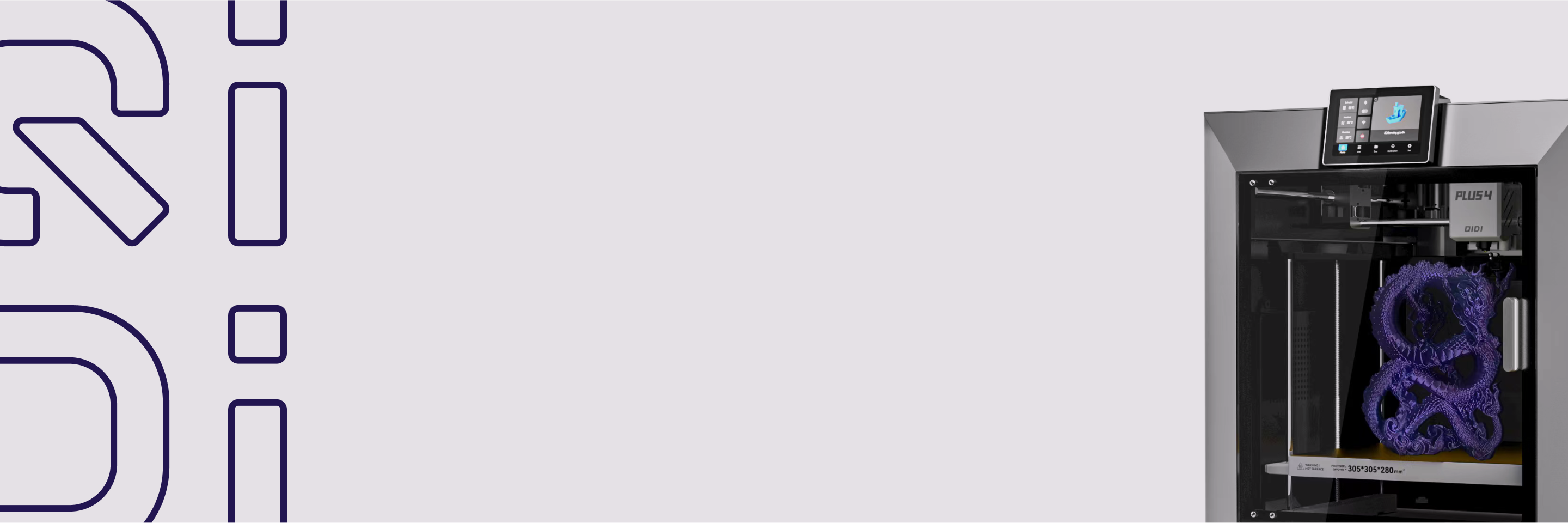
You will still see the Plus 4 recommended in older guides for this slot. It is a 305×305×280 mm machine with second-generation 65°C chamber heating; the Plus 5 is QIDI's current Plus-series printer and has 18% more build volume.
The upgrade you will hear about: QIDI Max4 — $1,049
Not a first printer. Worth knowing the shape of the ceiling, though: Max4 runs 390×390×340 mm at up to 800 mm/s with 30,000 mm/s² acceleration and third-generation 65°C chamber heating. It is here so you can see what you are not paying for at $349. For a use-case ranking of every machine above, see our best 3D printers of 2026 list.
A Five-Point Pre-Purchase Checklist
Before you buy any machine, confirm the physical footprint and where it will sit, then check the product page for these five items. They are the specifications that decide whether a beginner's first month goes smoothly.
- Leveling method. Look for nozzle-based leveling (a loadcell or strain sensor in the hotend). It removes Z-offset guesswork on the first layer.
- Chamber temperature figure. If ABS or ASA is in your plans, the spec sheet should give a number — 65°C on the Q2, Plus 5 and Max4. "Enclosed" alone means no heater.
- Hotend ceiling and nozzle material. 350–370°C with a bimetal or hardened nozzle keeps nylon, PC and carbon-fibre filaments open to you later.
- Motion system. CoreXY, linear guide rails and input shaping are what make fast printing clean rather than ringing. The CoreXY principle keeps the heavy motors on the frame instead of the moving bed.
- Run-out detection and power-loss recovery. Both are standard on current QIDI machines, and both save long prints you would otherwise lose.
Your First Print in Five Steps
Current machines are designed to get from box to successful print with minimal fuss. On a QIDI printer, the sequence looks like this.
- Power on and connect. Follow the on-screen guide to join your Wi-Fi network, then accept any firmware update the printer offers.
- Run the initial calibration. The printer levels itself using the loadcell in the hotend; you do not set a Z-offset by hand.
- Load PLA and pick the official profile. In QIDI Studio, select the profile for your printer and filament and trust the defaults. Our beginner's guide to filament explains why PLA comes first.
- Print a preloaded model. The QIDI wiki for the Q2 lists the files that ship on the printer — a 3DBenchy, a leveling block and a wrench — already sliced for the machine.
- Start your own project. Download a simple model, slice it with the same default profile and send it to the printer.
If something does go wrong on day one, it is almost always the first layer; our guide to first-layer problems covers the fixes in order of likelihood.
Adding Multi-Colour and Multi-Material Later
You do not need multi-colour on day one, but it is worth buying a printer that can grow into it. The QIDI Box is a four-slot filament unit that works with the Q2C, Q2, Plus 5 and Max4. It dries filament at up to 65°C while printing, recognises QIDI filament and applies matching settings, and up to four boxes chain together for 16 materials in one print. The Box is $228 on its own, or the Q2C Combo bundles one for $529 in total.
Start with two-colour parts to confirm alignment, then try a support material on a small lattice before committing to a large job. Every colour change purges filament, so multi-colour prints use more material than their finished weight suggests.
A Simple Rule for Chamber Heat
- Print PLA and PETG only, want the lowest price: no chamber heat needed. Q2C at $349, or a smaller machine if space is tight.
- Any interest in ABS, ASA, PC or nylon: active chamber heating. A passive box is not the same thing.
- Printer lives in a bedroom or shared room: an enclosed machine with filtration, for noise and particulates. Ventilate regardless of material.
- Printing abrasive carbon-fibre or glass-filled filament: hardened steel extruder gears and a hardened or bimetal nozzle, or you will be replacing parts.
What the First Year Actually Costs
The printer is not the whole number. QIDI's PLA Basic and PETG Basic are $16.99 per kilogram, and a beginner realistically gets through three to five kilos in the first year including failures. Add a spare nozzle pair, a spare build plate if you print a lot of PETG, and glue stick or a release agent. Power is close to a rounding error — we measured this in how much electricity a 3D printer uses.
Budget the printer plus about $150 for the first year of consumables and you will not be caught out. QIDI's filament range and the broader printer lineup are the reference points used in this article.
Four Mistakes That Send Beginners Back to the Store
- Buying for the ceiling instead of the floor. A machine you find intimidating stays in its box. Auto leveling, a touchscreen and a working slicer profile matter more on day one than any spec.
- Buying without chamber heat and then deciding to print ABS. This is the most common expensive mistake. Decide up front.
- Starting with exotic filament. Print PLA until you have a reliable first layer every time, then add PETG, then TPU, then the engineering materials.
- Skipping maintenance. Clean the plate, keep filament dry, and check the nozzle. Almost every "my printer broke" post is one of those three.
FAQ
What is the best 3D printer for a complete beginner in 2026?
The QIDI Q2C at $349 is the strongest all-round choice: hands-free loadcell leveling, a 270×270×256 mm build volume, 600 mm/s toolhead speed and a 370°C nozzle. If your desk is small and you only plan to print PLA, the Bambu Lab A1 mini is easier to live with. If you already know you want ABS or nylon parts, start with the QIDI Q2 at $499 instead.
Do beginners need an enclosed 3D printer?
Not for PLA or PETG. You need active chamber heating as soon as you want ABS, ASA, polycarbonate or nylon, because those materials shrink as they cool and warp without a stable ambient temperature. A passive enclosure helps with noise and drafts but does not hold a set chamber temperature.
How much should a first 3D printer cost?
Between $250 and $500 covers every machine a beginner genuinely needs. Below $250 you start giving up leveling quality, hotend temperature range or build volume. Above $700 you are paying for larger plates and multi-material systems that a first-time user will not use for months. Add roughly $150 for the first year of filament and consumables.
How fast should I print in the first week?
Use the official default profiles in the slicer. Their speeds are already set for reliability on that machine, so you do not have to guess, and the 600 mm/s figure on the spec sheet is a ceiling rather than a setting to chase. Change speed only once you have a baseline print to compare against.
Can I use flexible filament early on?
Yes, once PLA is reliable. Start with a 95A TPU such as QIDI TPU95A-HF, use gentle retraction and keep the speed lower than for PLA. A direct-drive extruder, standard on every current QIDI machine, keeps the flexible filament from buckling on its way to the nozzle.
Is 3D printing hard to learn?
The mechanical side is largely solved on current machines — automatic leveling and vendor slicer profiles mean a first print usually works. The learning curve is now in design and slicing: supports, orientation, wall count and infill. Expect a weekend to get comfortable printing downloaded models and a few months to design your own. We wrote a longer answer in is 3D printing hard to learn?
What can I print in the first week?
Start with calibration models, then desk organisers, cable clips, replacement knobs and phone stands — things where a failure costs you an hour rather than a day. Our list of beginner 3D printing projects has models chosen for short print times and forgiving geometry.
Is a beginner 3D printer suitable for an apartment or a classroom?
Choose an enclosed machine with filtration and follow the manual's ventilation and power guidance. The Q2, Plus 5 and Max4 ship with a 3-in-1 air filter; on the Q2C it is optional. Filtration reduces particulates but is not a substitute for room ventilation, especially with ABS and ASA.
Can a beginner printer handle carbon fibre filament?
Only if it has hardened steel extruder gears and a hardened or bimetal nozzle. Carbon-fibre-filled filament is abrasive and wears out a brass nozzle quickly. The QIDI Q2C, Q2, Plus 5 and Max4 all ship with hardened steel gears and bimetal nozzles rated to 370°C, which is why they can run composites out of the box.
- Beginner 3D Printer Comparison Table
- What Actually Separates a Good First Printer From a Frustrating One
- Automatic bed leveling is not a luxury feature
- The enclosure decides which materials you can print
- Nozzle temperature is the ceiling on your hobby
- Build volume: bigger is not automatically better
- Firmware and ecosystem
- The Picks
- Best overall first printer: QIDI Q2C — $349
- Best first printer with a heated chamber: QIDI Q2 — $499
- Best small-footprint starter: Bambu Lab A1 mini
- Best budget open frame: Creality Ender-3 V3 SE
- Best if you already know you want functional parts: QIDI Plus 5 — $749
- The upgrade you will hear about: QIDI Max4 — $1,049
- A Five-Point Pre-Purchase Checklist
- Your First Print in Five Steps
- Adding Multi-Colour and Multi-Material Later
- A Simple Rule for Chamber Heat
- What the First Year Actually Costs
- Four Mistakes That Send Beginners Back to the Store
- FAQ
- What is the best 3D printer for a complete beginner in 2026?
- Do beginners need an enclosed 3D printer?
- How much should a first 3D printer cost?
- How fast should I print in the first week?
- Can I use flexible filament early on?
- Is 3D printing hard to learn?
- What can I print in the first week?
- Is a beginner 3D printer suitable for an apartment or a classroom?
- Can a beginner printer handle carbon fibre filament?
Recommended products