Q2
Q2
 QIDI Box
 Plus 4
 Q1 Pro
 X-Max 3


How Long Does 3D Printer Filament Last?


Unopened 3D printer filament typically lasts about 24 months when kept sealed at room temperature in a dry, dark place, and many manufacturer data sheets quote that figure. Once the vacuum bag is opened, storage decides everything: sealed with desiccant a spool stays usable for years, while an open spool in humid air can degrade in days to weeks depending on the material.
Filament does not expire on a calendar. It degrades through moisture uptake, heat, ultraviolet light, and mechanical damage, and moisture accounts for most of it. The sections below give the measured numbers for each material and the storage practices that actually change the outcome.
What Is Filament Shelf Life?
Filament shelf life is the period during which a spool retains its original printability and mechanical performance under specified storage conditions. It is a conditional figure, not a fixed date: the same spool can last two years sealed with desiccant or two weeks sitting open in a humid workshop.
Two distinct clocks run on any spool. The first is chemical ageing — hydrolysis, oxidation, and photodegradation slowly breaking polymer chains. The second is moisture equilibrium — water diffusing into the polymer until it reaches balance with the surrounding air. Moisture is reversible by drying; chain scission largely is not. Almost every "my filament went bad" case is the reversible kind, which is why testing a spool matters more than reading a date on the box.
How Long Does Unopened Filament Last?
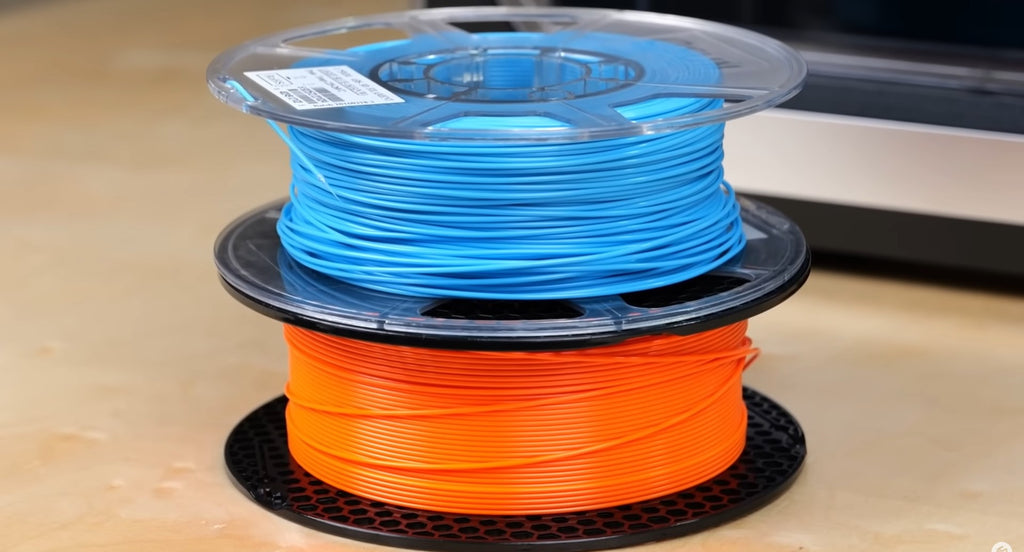
Unopened filament stored sealed at room temperature in a dry, dark place commonly carries a stated shelf life of about 24 months, and often remains printable well beyond that if the vacuum seal and desiccant stay intact. The seal, not the date, is what is being measured.
Manufacturer technical data sheets that quote 24 months assume three conditions at once: room temperature, very low humidity, and darkness. Remove any one and the number stops applying. A sealed spool stored in a hot attic or on a sunlit shelf ages faster than an open spool kept in a climate-controlled dry box.
Check the bag before trusting the date. A vacuum bag that has lost its vacuum has been exchanging air with the room, and a desiccant pack that has changed colour has already saturated. Either condition means the spool should be treated as opened.
How Long Does Opened Filament Last by Material?
Once opened, filament life is governed by how hygroscopic the polymer is: nylon and TPU can show print defects within hours of exposure to humid air, PETG within weeks, PLA within months, and ABS is the slowest of the common materials. The table below ranks the common filaments and gives the recovery settings for each.
| Material | Moisture sensitivity | Practical open-air window before quality drops | Storage requirement | Drying settings |
| Nylon / PA | Very high | Hours in humid air | Sealed with desiccant at all times; dry box while printing | 70–80 °C for 8–12 h |
| TPU | Very high | Hours to days | Sealed with desiccant; avoid long open exposure | 40–50 °C for 4–6 h |
| PETG | Moderate | A few weeks in humid air | Sealed container with desiccant between jobs | 65–70 °C for 4–6 h |
| PLA / PLA+ | Moderate to low | Weeks to months | Sealed container with desiccant; tolerates short open periods | 45–50 °C for 4–6 h |
| ABS / ASA | Low | Months in ordinary indoor air | Sealed storage still recommended for long gaps | 60–70 °C for 4–6 h |
These windows describe when print quality starts to shift, not when the spool becomes unusable. Full recovery procedures for each material are in the filament drying guide. Drying temperature is material-specific and matters: exceeding the glass transition temperature deforms the coil and can fuse windings together, so a PLA spool should never see a nylon drying cycle.
How Much Damage Does Moisture Actually Cause?
Moisture uptake measurably reduces mechanical performance: PLA conditioned at 80% relative humidity for one week gained 0.73% of its weight in water and lost about 20% of its tensile strength, while filament simply stored at room conditions for three months showed 24% to 36% strength reduction. Those figures come from a 2024 study in 3D Printing and Additive Manufacturing on the effect of filament moisture on tensile properties and morphology of FDM parts, which also recorded a 50% rise in melt flow index and a sharp increase in porosity at 80% RH and above.
Relative hygroscopicity across materials was quantified in a 2025 Polymers study that measured water absorption and mechanical response across six FFF polymers. Its absorption benchmark used full immersion over 100 hours — far harsher than any storage cupboard — but the ranking it produces is the useful part.
| Material | Mass gain after 100 h immersion (lab benchmark) | Mechanical effect from 15% RH to 95% RH conditioning |
| Nylon | ~12.7% | Young's modulus fell from 261.5 MPa to 67.7 MPa, a 74% reduction |
| PLA | ~9.8% | Modest sensitivity; stable across the RH range in compression |
| PETG | ~9.3% | Modest sensitivity; stable in compression |
| ABS | ~4.2–4.8% | Nearly constant across RH levels |
| TPU | ~1.3% | Ultimate tensile strength rose from 10.3 MPa to 28.2 MPa; peak compressive stress fell |
| PEEK | ~1.3% | Nearly constant across RH levels |
Three practical conclusions follow. Nylon is the material where moisture control is not optional. ABS is genuinely forgiving, which is why it survives casual storage. And TPU's behaviour is not simply "worse when wet" — its properties shift in both directions, which is why damp TPU produces inconsistent flexibility rather than obvious failure.
What Shortens Filament Life
Four factors degrade a spool, and they act on different timescales.
Humidity and moisture
Most FFF filaments are hygroscopic, meaning they absorb water from surrounding air until they reach equilibrium with it. When that water flashes to steam in a 200 °C+ nozzle, it produces the familiar signature: popping and sizzling, surface roughness, stringing, blobs, bubbling, and weak layer adhesion. Nylon, PVA, and TPU need drying far more often than PLA. Storing open spools in a closed container with active desiccant is the single highest-return habit in filament care.
Temperature
Filament stores best at a stable room temperature. Heat accelerates both hydrolysis and creep, and storage near a heater, a window, or in an uninsulated garage undoes good moisture control. Heat also softens the coil: PLA left above roughly 55 °C can deform on the spool even while sealed.
Sunlight and UV exposure
Direct sunlight and ultraviolet exposure weaken polymers over time through chain scission, showing up as discolouration, embrittlement, and lost strength. Unlike moisture damage, this is not reversible by drying. An opaque container is a cheaper fix than any drying cycle.
Mechanical stress
Sharp bends, crushing, tangles, and rough rewinding all raise the chance of a snap mid-print, especially on filament that has already become brittle. A spool that has tangled once tends to tangle again; the causes and fixes are covered in the guides to filament tangles and filament breaking.
How to Tell If Filament Has Gone Bad
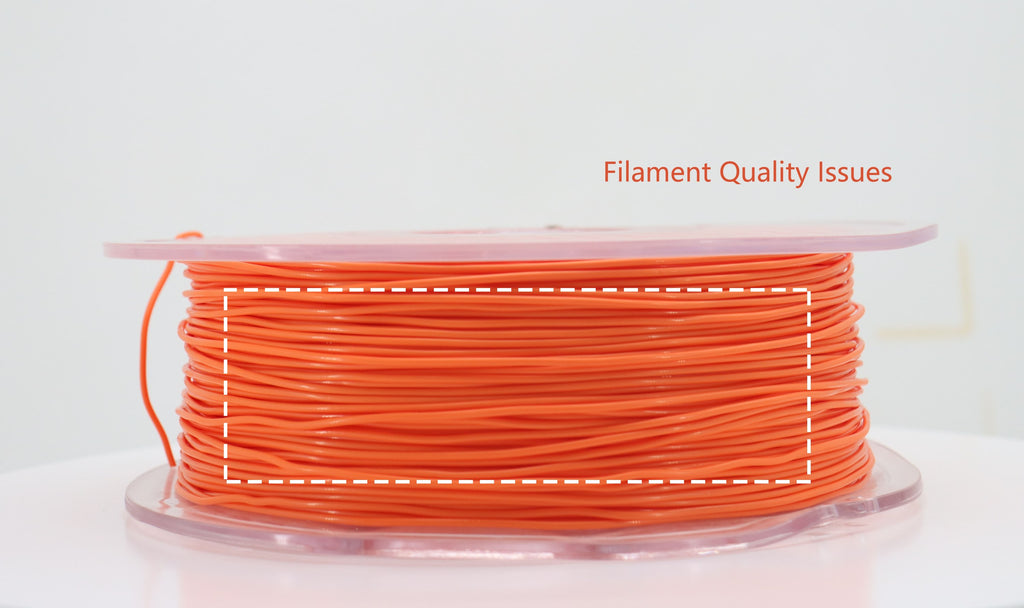
Test the spool rather than judging it by age: filament that snaps when bent between two fingers, looks visibly discoloured, or pops and strings during a test extrusion has degraded, while filament that bends without cracking and extrudes cleanly is still good regardless of how long it has been stored.
- Bend test. Flex a 10 cm length. Fresh filament bends into a curve; badly degraded filament cracks or snaps with a dry click.
- Visual check. Look for faded or shifted colour, a chalky surface, or a dull finish where the spool used to be glossy.
- Extrusion test. Purge 50 mm through a hot nozzle. Steam, popping, sizzling, or a rough irregular strand indicates absorbed moisture.
- Print test. Run a small single-wall cube. Stringing, blobs, visible bubbling, and poor layer bonding point to moisture; consistent brittleness that survives drying points to real ageing.
Order matters here. Dry first, then retest. Moisture-related symptoms usually clear after a proper drying cycle, and a spool that still fails after drying is one that has genuinely aged. Persistent stringing and inconsistent extrusion after drying are worth cross-checking against the filament quality issues guide, since manufacturing defects produce similar symptoms.
How to Store Filament So It Lasts
The effective storage methods all do the same thing — hold the air around the filament below roughly 20% relative humidity — and they differ mainly in cost and convenience.
| Method | How it works | Best for | Limitation |
| Vacuum bag with desiccant | Removes most air, desiccant absorbs the rest | Long-term storage of spools not in rotation | Bag must be reopened and resealed each use; check the seal |
| Airtight bin with desiccant | Sealed volume, desiccant pulls humidity down | Multiple spools, everyday rotation | Desiccant must be monitored and reactivated |
| Passive dry box | Sealed enclosure with a humidity gauge, feeds the printer directly | The spool currently loaded in the machine | Only slows uptake; cannot remove existing moisture |
| Heated filament dryer | Controlled heat plus airflow drives moisture out | Recovering a spool that has already absorbed water | Wrong temperature deforms the coil |
| Active drying while printing | Sealed heated chamber holds the spool dry throughout the job | Long prints in nylon, PETG, and composites | Requires a system built for it |
The last row addresses a gap the others cannot. On a 30-hour nylon print, a spool that started dry will have been sitting in room air for more than a day by the time the job finishes. Systems that dry during the job close that gap — the QIDI Box holds its sealed chamber at 65 °C while feeding the printer, so the filament entering the extruder at hour 30 is as dry as it was at hour one. For spools in storage rather than in use, replacing saturated desiccant matters as much as the container: fresh desiccant packs are the consumable that makes the whole system work.
General storage practice is covered in more depth in how to store 3D printer filament properly. If you are choosing a first spool and want to avoid the materials that punish storage mistakes hardest, start with the beginner filament guide, and browse material options in the filament collection.
Shelf Life Versus the Life of the Printed Part
A spool's shelf life and a finished part's service life are separate questions with different failure modes. Storage degradation is dominated by moisture; outdoor service life is dominated by UV and thermal cycling; and parts under repeated load fail by fatigue long before the material looks degraded.
Once a part is installed outdoors the clock restarts. Predicting the outdoor lifespan of 3D printed garden mounts puts realistic numbers on how long different filaments survive weather, and improving UV resistance for trellis connectors covers what actually slows photodegradation. For components under constant vibration, why some filaments fail in vibrating mounts explains which materials hold up under cyclic load.
Frequently Asked Questions
Does 3D printer filament expire?
Not on a fixed date. Many data sheets quote about 24 months for sealed storage at room temperature in a dry, dark place, but that is a storage specification rather than an expiry. A sealed spool with intact desiccant often prints normally well past two years, while an open spool in a humid room can cause defects within weeks.
How long does filament last once opened?
It depends on the material and the room. Nylon and TPU can show defects within hours of exposure to humid air, PETG within a few weeks, PLA within weeks to months, and ABS is the slowest of the common materials. Sealed storage with desiccant between jobs resets the clock for all of them.
Can old filament still be used?
Often, yes. Age alone does not make filament unusable. If it bends without snapping, feeds smoothly, and extrudes without popping or bubbling, it is still good. If it fails those checks, dry it at the material's recommended temperature and retest before discarding it.
Should you throw filament away as soon as it absorbs moisture?
No. Moisture damage is usually reversible. Dry the spool at the correct temperature for that material, then run a test print. If quality returns, the spool is fine. Severe brittleness, repeated snapping, or defects that persist after drying are the stronger signals that a spool has reached the end.
Can you store filament in a refrigerator?
No, this is counterproductive. Removing a cold spool into warmer room air causes condensation on the filament surface, adding moisture rather than preventing it. A sealed container with desiccant in a cool, dry indoor space is both safer and simpler.
How often should filament desiccant be replaced?
Whenever it changes colour, feels saturated, or the container's humidity gauge climbs. Colour-indicating silica gel is the practical choice because it signals its own state. Many desiccants can be reactivated by baking rather than replaced, and in humid climates they need checking every few weeks rather than every few months.
What relative humidity should filament be stored at?
Aim for below 20% RH inside the storage container, which is well under ordinary indoor humidity of 40% to 60%. A cheap hygrometer in the bin is the only way to know whether the desiccant is still working, and it is the difference between a storage system and a box with spools in it.
Does bad storage actually cost money?
Yes, and it is usually the largest avoidable cost in printing. A ruined kilogram of nylon costs $35 to $60 to replace — see the filament cost breakdown — while the electricity for the failed print that revealed the problem costs well under a dollar, as the electricity cost guide shows. Storage is where the money is, not the power bill.
- What Is Filament Shelf Life?
- How Long Does Unopened Filament Last?
- How Long Does Opened Filament Last by Material?
- How Much Damage Does Moisture Actually Cause?
- What Shortens Filament Life
- Humidity and moisture
- Temperature
- Sunlight and UV exposure
- Mechanical stress
- How to Tell If Filament Has Gone Bad
- How to Store Filament So It Lasts
- Shelf Life Versus the Life of the Printed Part
- Frequently Asked Questions
- Does 3D printer filament expire?
- How long does filament last once opened?
- Can old filament still be used?
- Should you throw filament away as soon as it absorbs moisture?
- Can you store filament in a refrigerator?
- How often should filament desiccant be replaced?
- What relative humidity should filament be stored at?
- Does bad storage actually cost money?
Recommended products