Q2
Q2
 QIDI Box
 Plus 4
 Q1 Pro
 X-Max 3


How Much Electricity Does a 3D Printer Use? Cost Per Hour Guide


A desktop FDM 3D printer draws roughly 80 watts while printing PLA and 300 to 450 watts while printing ABS with an actively heated chamber. At the U.S. residential average of 18.44 cents per kWh, that is about 1.5 cents per hour for PLA and 5.5 to 8.3 cents per hour for ABS. A 12-hour PLA print costs roughly 18 cents of electricity.
Electricity is almost never the expensive part of 3D printing. The numbers below show where the watts actually go, how to convert them into your own local cost, and which settings move the figure enough to be worth changing.
How Much Does It Cost to Run a 3D Printer for One Hour?
Running a desktop 3D printer costs between 0.8 and 8.3 cents per hour in the United States, depending on the material, the bed temperature, and whether a chamber heater is running. The calculation needs only two inputs: the printer's average power draw in watts and your local electricity price.
Hourly cost = (average watts ÷ 1000) × price per kWh
The U.S. average residential retail price of electricity was 18.44 cents per kWh in May 2026, according to the U.S. Energy Information Administration. Using $0.1844/kWh, the common scenarios work out like this.
| Scenario | Average draw while printing | Energy per hour | Cost per hour at $0.1844/kWh | Cost of a 12-hour print |
| Resin MSLA, small model | 45 W | 0.045 kWh | $0.008 | $0.10 |
| Open-frame FDM, PLA | 80 W | 0.080 kWh | $0.015 | $0.18 |
| Open-frame FDM, ABS | 120 W | 0.120 kWh | $0.022 | $0.27 |
| Enclosed CoreXY, chamber heater off | 250 W | 0.250 kWh | $0.046 | $0.55 |
| Enclosed CoreXY, chamber held at 60–65 °C | 450 W | 0.450 kWh | $0.083 | $1.00 |
Preheating adds a small one-time charge on top. Ten minutes at 400 W is 0.067 kWh, or about 1.2 cents. That is why batching several small parts onto one plate saves more than most slicer tweaks: the machine warms once instead of five times.

What Is "Average Draw," and Why Is It Lower Than the Power Supply Rating?
Average draw is the mean power a printer consumes across a whole job, including the periods when its heaters are idle between duty cycles. It is always lower than the nameplate rating on the power supply, because heaters only switch on long enough to hold a setpoint.
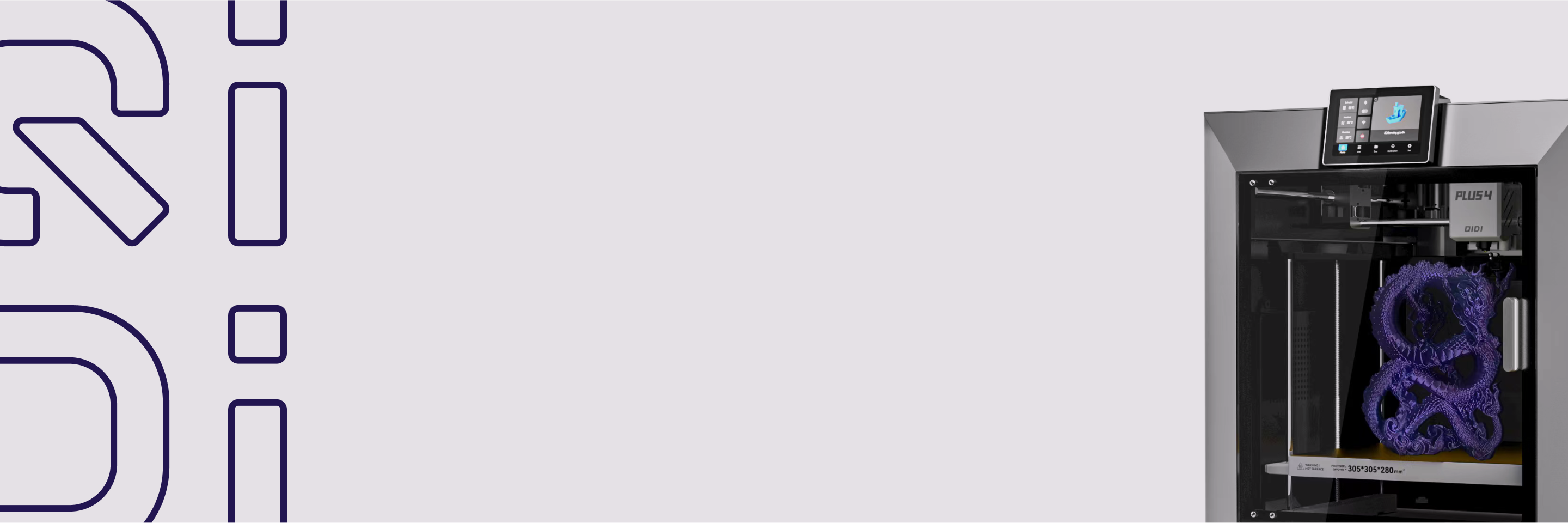
A concrete example: the chamber heater in the QIDI Plus 4 is rated at 400 W and brings the chamber to 60 °C in about five minutes. During those five minutes the heater runs near its full rating. For the remaining eleven hours of a long ABS job, it cycles on and off to hold temperature, and the average contribution drops well below 400 W. The same logic applies to the heated bed and the hot end.
This is why nameplate arithmetic overstates cost badly. A machine with a 500 W supply does not consume 500 W for twelve hours. Measure or estimate the average, not the peak.
Power Draw by Printer Type
Open-frame FDM printers average about 60 to 150 W, enclosed CoreXY machines average 160 to 280 W with the chamber heater off and 300 to 450 W with it on, and desktop resin MSLA printers average 30 to 60 W. Different architectures put their watts in different places, and the ranges below reflect typical average draw while printing, excluding short preheat spikes.
| Printer type | Typical average draw | Cost per hour at $0.1844/kWh | What mainly drives it | Best fit |
| Open-frame FDM (entry to mid) | 60 to 150 W | $0.011 – $0.028 | Heated bed at 50 to 70 °C, moderate nozzle temperatures | PLA and PETG parts with low energy use and easy access |
| Enclosed FDM / CoreXY (chamber heater off) | 160 to 280 W | $0.030 – $0.052 | Larger bed at higher setpoints; enclosure blocks drafts passively | General-purpose jobs needing stable temperatures without active chamber heat |
| Enclosed FDM / CoreXY (chamber heater on) | 300 to 450 W | $0.055 – $0.083 | Bed at 90 to 110 °C plus chamber held at 40 to 65 °C | ABS, ASA, and nylon where layer bonding and dimensional stability matter |
| Resin MSLA (desktop) | 30 to 60 W | $0.006 – $0.011 | UV LED array plus a small Z-axis motion system | Small, detailed models in a quiet, low-power footprint |
Use the middle of each range for planning. Lean toward the top end with a very large bed or a high chamber setpoint, and toward the bottom in a warm room with conservative temperatures. Across lab and field measurements, heating elements dominate 3D printer energy use; motors, fans, and control electronics are a minor share.
How Filament Choice Changes the Bill
Filament choice sets the thermal targets, and thermal targets set the power draw. PLA runs a 60 °C bed and no chamber heat, so it sits at the bottom of the range. ABS, ASA, and nylon want a 100 to 110 °C bed and a warm chamber, which roughly triples average draw. The table below assumes a mid-size enclosed machine and a 10-hour job.
| Material | Typical bed temperature | Chamber heat needed? | Typical average draw | Energy for a 10-hour print | Cost of that print at $0.1844/kWh |
| PLA | 55 to 60 °C | No | 80 W | 0.8 kWh | $0.15 |
| PETG | 70 to 80 °C | No | 100 to 120 W | 1.0 – 1.2 kWh | $0.18 – $0.22 |
| ABS / ASA (enclosed, passive) | 95 to 105 °C | Optional | 160 to 280 W | 1.6 – 2.8 kWh | $0.30 – $0.52 |
| ABS / ASA / nylon (active chamber) | 100 to 110 °C | Yes, 40 to 65 °C | 300 to 450 W | 3.0 – 4.5 kWh | $0.55 – $0.83 |
The gap between the first and last row is roughly 5x, and almost all of it is chamber and bed heat. It is still under a dollar for a full working day of printing. If a part genuinely needs the dimensional stability that a temperature-controlled chamber provides, the energy premium is not the reason to skip it. If the part does not need it, leaving the chamber heater off is the single biggest saving available.
Bed temperature is the other lever, and it matters even without a chamber. A heated bed must fight heat loss for the entire job, which is why it accounts for the largest single share of printer energy.
How Your Local Electricity Price Changes the Answer
Residential electricity prices in the United States range from about 12 cents to over 50 cents per kWh, so the same print can cost four times more in one state than another. The figures below are residential retail prices for May 2026 from the EIA's Electric Power Monthly.
| State | Residential price (¢/kWh, May 2026) | 80 W PLA job, per hour | 12-hour PLA print | 450 W ABS job with chamber, per hour |
| Hawaii | 52.00 | $0.042 | $0.50 | $0.234 |
| California | 33.25 | $0.027 | $0.32 | $0.150 |
| New York | 29.93 | $0.024 | $0.29 | $0.135 |
| U.S. average | 18.44 | $0.015 | $0.18 | $0.083 |
| Texas | 16.44 | $0.013 | $0.16 | $0.074 |
| Washington | 14.95 | $0.012 | $0.14 | $0.067 |
| Idaho | 12.35 | $0.010 | $0.12 | $0.056 |
Even at Hawaii's rate, a full 12-hour PLA print costs half a dollar. Readers in high-price states who print engineering materials daily are the only group for whom the number becomes worth managing, and for them, time-of-use scheduling usually helps more than any slicer setting.
How Much Does 3D Printing Add to a Household Power Bill?
A hobbyist printing 100 hours a month in PLA uses about 8 kWh, which is under 1% of the 899 kWh an average U.S. household buys each month. The EIA reports that the average U.S. residential utility customer purchased 10,791 kWh per year, about 899 kWh per month.
- Light hobby use — 40 hours a month of PLA at 80 W: 3.2 kWh, about $0.59 a month at the national average.
- Regular hobby use — 100 hours a month of PLA at 80 W: 8 kWh, about $1.48 a month, or roughly 0.9% of a typical household's consumption.
- Heavy engineering use — 200 hours a month at 450 W with an active chamber: 90 kWh, about $16.60 a month, or roughly 10% of a typical household's consumption.
For context, that heaviest case is comparable to running a second refrigerator. For most users the printer is a rounding error next to heating, cooling, and water heating, which the EIA identifies as the largest drivers of residential electricity demand.

What Drives Power Use Up or Down
Five variables account for nearly all the variance in a printer's average draw, and four of them are thermal.
Heated bed size and setpoint
A larger bed at a higher setpoint raises average draw for the whole job, because the surface fights heat loss continuously rather than in bursts. Dropping a bed from 100 °C to 90 °C where the material window allows it is a measurable saving with no quality cost on most ABS parts.
Chamber heat
A chamber held at 40 to 65 °C improves layer bonding and dimensional stability for ABS, ASA, and nylon, and it is the largest single line item when it is on. If the part does not need it, the enclosure alone still blocks drafts at zero energy cost.
Ambient temperature and insulation
A cold room pulls heat out of the bed and hot end continuously, raising heater duty cycles. A silicone sock on the hot end and simple insulation under the bed reduce those losses. Printing in a 22 °C room instead of a 12 °C garage does more for the number than most slicer changes.
Print plan and slicer settings
Thicker walls, dense infill, and support-heavy geometry all extend time at temperature, and time at temperature is what you pay for. Reducing material also reduces energy; the techniques in reducing 3D print material cut both at once.
Print speed
Faster printing usually lowers energy per part, because the heaters run for fewer total hours even though instantaneous draw rises slightly. A machine running at 600 mm/s finishes the same model in less time at temperature than one running at 200 mm/s.
How to Measure Your Printer's Real Power Draw
The most reliable method is a plug-in watt meter or energy-monitoring smart plug that logs cumulative kWh across an entire job, from cold preheat to finished part. Instantaneous wattage readings jump too much to be useful; cumulative energy is the number to record.
- Zero the meter's cumulative kWh counter before starting.
- Start from a cold machine so preheat is included.
- Let the job run to completion and record total kWh and total hours.
- Divide kWh by hours to get your true average watts.
- Multiply total kWh by your utility's price per kWh, taken from your bill rather than a national average.
Repeat this once for PLA and once for your most demanding engineering material. Those two data points will cover almost every job you run, and they beat any published estimate because they include your room temperature, your bed size, and your settings.
How to Cut Energy Use Without Hurting Print Quality
Long, high-temperature, and overnight jobs deserve a routine that lowers watt-hours and keeps the setup electrically sound. Each of these takes seconds to apply.
- Match the load to the circuit. Keep continuous draw under about 80% of a 15- or 20-amp circuit. Avoid daisy-chained power strips. If an extension cord is unavoidable, use a short, heavy-gauge cable and keep connectors away from heat.
- Set temperatures by material, not by habit. Skip chamber heat for PLA and PETG entirely. For ABS or nylon, use the lowest bed and chamber setpoints that still hold adhesion and shape; test by dropping 5 to 10 °C on a small part and inspecting the first two layers.
- Reduce heat loss. Fit a silicone sock, add under-bed insulation, and keep the enclosure closed during high-temperature work. Cover the bed during warm-up only, then remove the cover before the first layer.
- Batch to cut preheats. At roughly 1.2 cents per preheat cycle, five separate small jobs waste more energy in warm-ups than the prints themselves consume. Nest them onto one plate.
- Protect long runs. Enable thermal-runaway protection in firmware, place a smoke alarm in the room, maintain clearances around the machine, and ventilate the space. A UPS is useful for riding through brief sags and performing a controlled stop, not for powering entire jobs.
Choosing the right machine class helps as well. An entry-level open-frame or compact enclosed machine such as the QIDI Q2C runs at the low end of the power range for PLA and PETG work, while a larger enclosed CoreXY earns its higher draw only when the job actually calls for a heated chamber. Compare the full lineup in the 3D printer collection, and match the filament to the part rather than to the machine's maximum capability.
Frequently Asked Questions
How many watts does a 3D printer use?
A desktop FDM printer uses 60 to 450 watts on average while printing, depending on architecture and material. Roughly 80 W is typical for PLA on an open-frame machine, 120 W for ABS on the same machine, 250 W for an enclosed CoreXY with the chamber heater off, and 450 W with the chamber held at 60 to 65 °C. Desktop resin printers sit far lower at 30 to 60 W.
How much does it cost to run a 3D printer for 24 hours?
At the U.S. average of 18.44 cents per kWh, a 24-hour print costs about 35 cents in PLA (1.92 kWh) and about $1.99 in ABS with an active chamber (10.8 kWh). Multiply 0.08 kWh or 0.45 kWh by 24, then by your own rate, to get your local figure.
Do 3D printers use a lot of electricity?
No. A printer running 100 hours a month in PLA consumes about 8 kWh, under 1% of the 899 kWh an average U.S. household buys monthly. Even continuous engineering-material printing at 200 hours a month lands near 90 kWh, comparable to a second refrigerator.
How can I measure my printer's actual power draw at home?
Use a plug-in watt meter or an energy-monitoring smart plug. Zero the cumulative counter, start from a cold preheat, and let the job finish. Record total kWh, divide by print hours for average watts, and multiply kWh by your utility's price.
Does printing faster reduce energy per part?
Usually yes. Higher speed raises instantaneous load slightly, but the job finishes sooner, so total energy per part often drops. Verify it with an A/B test: print the same model at two speeds, log kWh for each, and compare quality against energy per part.
Can a portable power station run a filament printer?
It can, provided the inverter's continuous watt rating exceeds the printer's peak draw, since heaters create short spikes well above the average. Prefer pure-sine output. Estimate runtime as battery watt-hours times inverter efficiency divided by your average watts, and treat the station as ride-through rather than primary power.
Can time-of-use electricity rates lower my printing cost?
Yes. Many utilities charge less during off-peak hours, and long unattended prints are well suited to shifting. Check your plan's off-peak window, then schedule jobs with a delayed start or a monitored smart plug, keeping the same supervision and ventilation practices you use during the day.
Is electricity or filament the bigger cost per print?
Filament, by a wide margin. A 150 g part uses about $3.00 of filament from a $20 spool, while the electricity for a 10-hour print ranges from 15 cents to 83 cents. The full breakdown is in the filament cost guide, and consumables and wear are covered in the maintenance cost guide. Wasted filament from a spool that has degraded in storage often costs more than a month of electricity, which is why filament shelf life deserves as much attention as the power bill.
- How Much Does It Cost to Run a 3D Printer for One Hour?
- What Is "Average Draw," and Why Is It Lower Than the Power Supply Rating?
- Power Draw by Printer Type
- How Filament Choice Changes the Bill
- How Your Local Electricity Price Changes the Answer
- How Much Does 3D Printing Add to a Household Power Bill?
- What Drives Power Use Up or Down
- Heated bed size and setpoint
- Chamber heat
- Ambient temperature and insulation
- Print plan and slicer settings
- Print speed
- How to Measure Your Printer's Real Power Draw
- How to Cut Energy Use Without Hurting Print Quality
- Frequently Asked Questions
- How many watts does a 3D printer use?
- How much does it cost to run a 3D printer for 24 hours?
- Do 3D printers use a lot of electricity?
- How can I measure my printer's actual power draw at home?
- Does printing faster reduce energy per part?
- Can a portable power station run a filament printer?
- Can time-of-use electricity rates lower my printing cost?
- Is electricity or filament the bigger cost per print?
Recommended products